Arcade guide
Wave Runner Game Tips: What Two Endless Runs Showed
Key takeaways
- The tutorial says to hold the mouse, W, Space or the up arrow to fly up.
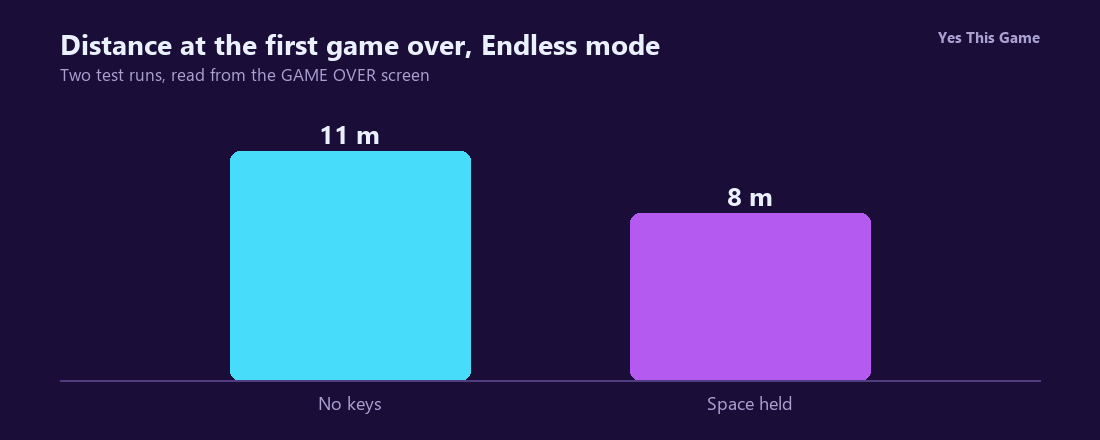
- In Endless mode the first game over came at 11 m with no keys pressed and at 8 m with Space held.
- In Classic mode a run without input crashed at 9 percent twice.
- The colour theme of the course changed from run to run.
The first wave runner game tip is to stop treating the button as a switch you hold: in Glidewave holding Space ended our Endless run at 8 metres, while pressing nothing ended it at 11. The tutorial says to hold the mouse, W, Space or the up arrow to climb and to let go to drop, so timing is the whole game.
How the game works
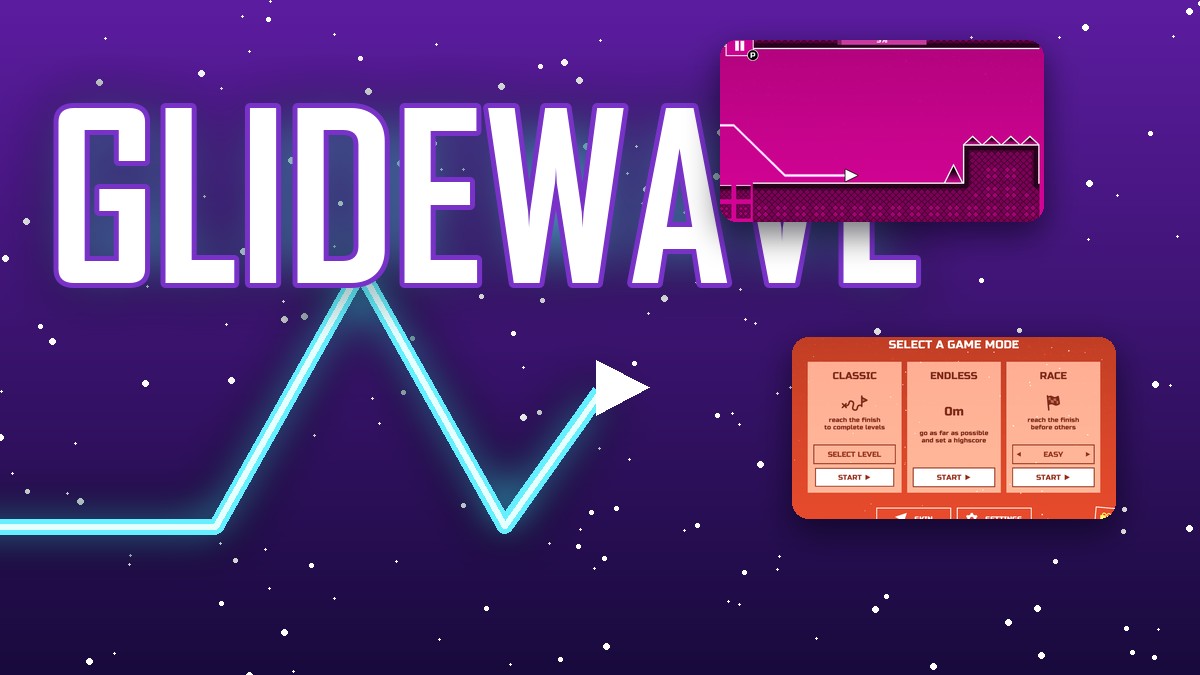
Glidewave is a one-button neon arcade game. A small arrow flies through a tunnel with spikes and blocks. On the start screen you choose Classic, Endless or Race. After a crash the Game Over screen shows your score and highscore, with a Restart button marked Space.
What we measured
We played in a test browser at 1280 by 800 pixels with a fresh profile, skipped the tutorial and read the numbers from the screen.
| Run | Result |
|---|---|
| Endless, no keys pressed | game over at 11 m |
| Endless, Space held down | game over at 8 m |
| Classic, no keys pressed (two runs) | crash at 9 percent both times |
Single runs from one test browser; Endless courses may differ between runs.
The colour changes
The course colour was different in almost every run we made: the game over screens came out green, red and purple, and the start screen shifted through pink, orange and yellow. It is a good sign that you have a fresh run.
Bolts, arrows and the wheel
The start screen has a gift button for a daily reward wheel with prizes from 50 to 1,000 bolts. In the Shop our test profile began with 2 bolts, and arrows and trails cost between 500 and 3,500, with three items marked free.
4 tips that follow from the numbers
- Do not hold the button down. Holding Space ended at 8 metres.
- Learn the first obstacles. A run without input crashed at 9 percent in Classic mode twice.
- Restart fast. Space restarts from the Game Over screen.
- Visit the wheel daily. It adds bolts for the Shop.
Where to try it
Try it yourself in Glidewave. For another game of quick reflexes, Pearlpath is a marble shooter.
Frequently asked questions
What are the controls in Glidewave?
Hold the mouse button, W, Space or the up arrow to fly up and release to drop, according to the tutorial.
How far did we get in Endless mode without pressing anything?
11 metres before the first game over, in one run.
What happened when we held Space?
The first game over came at 8 metres in our run.
How do you restart?
The Game Over screen shows a Restart button marked Space.
What are the three modes?
Classic, Endless and Race; Race has a difficulty switch that starts at Easy.
Does Glidewave work on a phone?
It is played with mouse or keyboard keys, so it plays best on a computer; our version asks you to turn an upright phone sideways.