Arcade guide
Rolling Ball Game Tips: 15 Test Runs, No Key Beat Holding Left or Right
Key takeaways
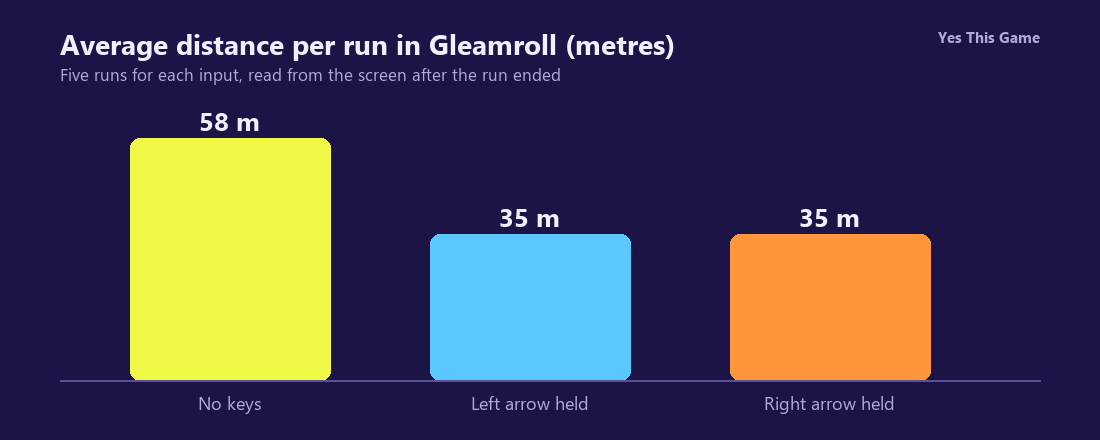
- Without touching a key the ball reached 46 to 75 metres in five runs, 58 on average.
- Holding the left arrow ended five runs at 33 to 39 metres, 35 on average.
- Holding the right arrow ended five runs at 32 to 42 metres, 35 on average.
- Left and A move the ball left, right and D move it right; the ball rolls forward by itself.
The first rolling ball game tip is to steer in short taps: in Gleamroll the five runs where we pressed nothing averaged 58 metres, while holding the left or right arrow ended near 35. The ball rolls forward on its own, so the keys only decide how far it drifts toward the edge.
How the game works
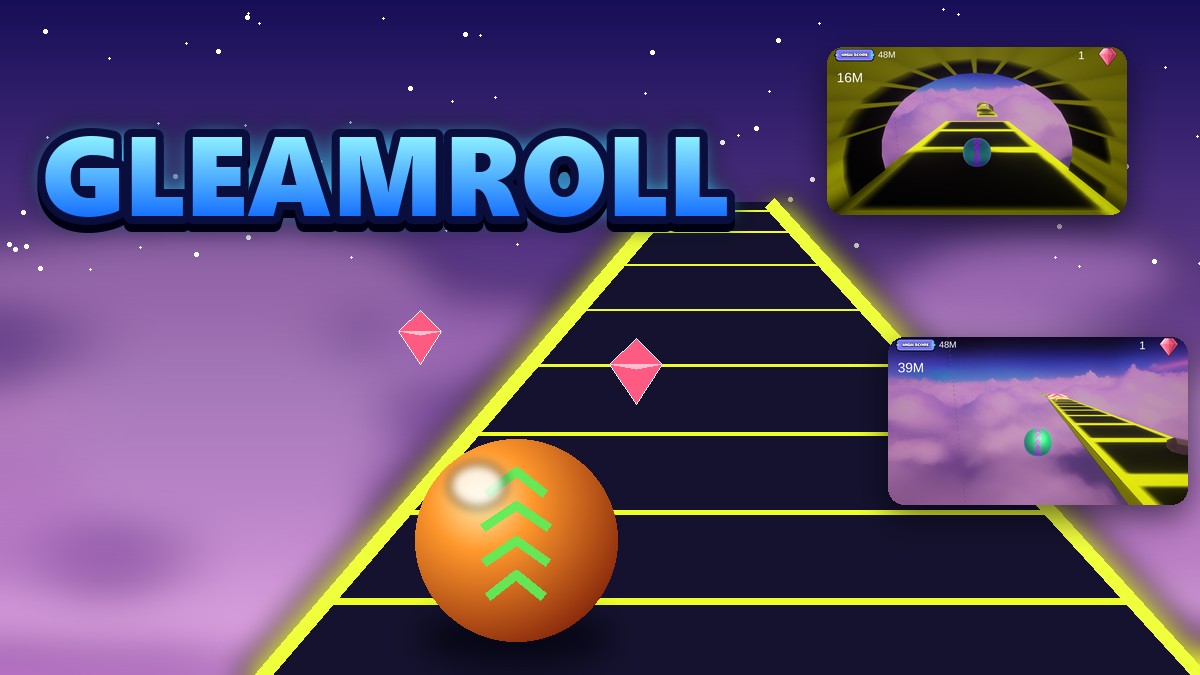
Gleamroll is a 3D game on a road above the clouds. Press Play and the ball sets off. The left and right arrow keys, or A and D, push it sideways. The road has gaps, ramps, a tunnel and blocks marked with an X; pink gems lie along the way. After a crash a Restart button appears, and it takes you back to the start screen.
What we measured
We played in a test browser at 1280 by 800 pixels with a fresh profile, using software rendering, and read each distance from the screen after the run ended. We made five runs for each input.
| Input | Runs | Average |
|---|---|---|
| No keys pressed | 59, 49, 75, 59, 46 | 58 |
| Left arrow held down | 33, 39, 39, 33, 33 | 35 |
| Right arrow held down | 42, 33, 32, 33, 33 | 35 |
Five runs per input in one test browser; rendering speed and the random road make single results vary, so read the averages as a direction, not a record.
Which key does what
We checked the steering by watching where the yellow road edge sat on screen a moment after Play. With the left arrow or A held, the road shifted to the right of the ball, so the ball went left. With the right arrow or D held, the road shifted to the left. Holding either one sent the ball off the road within a second or two.
Gems and balls
The Shop starts with a green ball that is already yours. Seven more follow, priced 100, 200 and so on up to 700 gems: a volleyball, a cricket ball, a snowball, an 8-ball, a ball of yarn, a football and a tennis ball. Our fresh profile started with 0 gems.
4 tips that follow from the numbers
- Do not hold a steering key. Holding left or right ended runs about 23 metres earlier than pressing nothing.
- Use short taps to move toward a gem and then let the ball roll straight again.
- Look for the X blocks early. They end the run with a burst of sparks.
- Restart quickly. Restart takes you to the start screen, and Play begins the next run.
Where to try it
Try it yourself in Gleamroll. For another quick-reflex game, Glidewave sends an arrow through neon tunnels.
Frequently asked questions
What are the controls in Gleamroll?
The ball rolls forward by itself; steer with the left and right arrow keys or A and D.
How far did we get without pressing a key?
Five runs ended at 59, 49, 75, 59 and 46 metres, 58 on average.
What happened when we held the left arrow?
Five runs ended at 33, 39, 39, 33 and 33 metres, 35 on average.
What happened when we held the right arrow?
Five runs ended at 42, 33, 32, 33 and 33 metres, 35 on average.
How many balls can you unlock?
Seven more, priced from 100 to 700 gems; the first one is free.
Does Gleamroll work on a phone?
It started and steered left with a held finger in our phone-sized test; keyboard play on a computer is the best tested way.