More games



About Wobble Hooper
Wobble Hooper is a pixel-art basketball game for one or two players. Four loose-limbed players share a small court, each side has a hoop, and a single key makes your player jump and swing. Score by getting the ball through the hoop.
How to play
- Press Play on the first screen and wait for the title to appear.
- Choose 1p to play with the computer moving the other players, or 2p to share the keyboard with a friend.
- The left player is controlled with W, the right player with the up arrow. The screen shows the hints HOLD (W) and HOLD (↑).
- Hold the key to jump and raise an arm, and try to push the ball through the hoop.
- After a goal a BASKET! pop-up appears and the score boxes in the bottom corners go up.
What you see on screen
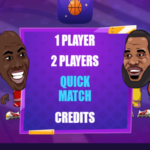
- Title screen: the Wobble Hooper title bar with the 1p and 2p buttons over a court.
- Court: two hoops with backboards, four players and an orange ball. The court changes between matches.
- Scoreboard: a red box in the bottom left corner and a blue box in the bottom right corner.
- Pause button: two white bars at the top right.
Game features
- Two against two basketball with wobbly pixel-art players
- One key per player, so two people can share a keyboard
- Courts such as a street, a sunset street, a night street, a beach, a snowy village and an indoor gym
- No download and no sign-up
Controls
- W (hold): left player jumps and swings
- Up arrow (hold): right player jumps and swings
Tips
- You do not need to press anything to see the game work: in a 40 second run with no keys the scoreboard still showed a 1 to 0 result, because the other players keep moving.
- Try tapping and holding. In our three 40 second runs (hold W, tap W, no keys) the red box ended at 1, 2 and 1 and the blue box stayed at 0.
- Look at the court before you start: it changes between matches, so the background tells you which of the courts you got.
- Read our two player basketball tips for the numbers behind these tips.
Frequently asked questions
Which keys do I use in Wobble Hooper?
Hold W for the left player and the up arrow for the right player; the game shows both hints on screen.
Can two people play?
Yes. Choose 2p on the title screen and share the keyboard.
How many players are on the court?
Four, two on each side.
Does the court change?
Yes. In ten test starts we saw five different courts, and a sixth, an indoor gym, in another run.
Does it work on a phone?
The game is played with keyboard keys, so it plays best on a computer. On a phone, turn the device sideways to see the court.
Is Wobble Hooper free?
Yes. You can play it in your browser on Yes This Game with no download and no sign-up.
Guide: Two Player Basketball Game Tips From Three 40-Second Runs
Categories: Sports Original Games