Game guide
Color by Number Tips: How to Finish Every Picture Without Mistakes
Key takeaways
- Our 12 By number pictures hold 202 numbered areas, from 9 in the hot air balloon to 37 in the mandala.
- Work one number at a time and swipe: in Coloring Book only a tap on a wrong area is a mistake, never a swipe.
- In 11 of the 12 pictures one area, usually the background, covers 47% to 81% of the picture. Color it early.
- Up to two mistakes still give three stars, up to six give two, and a finished picture always earns one.
The surest way to finish a color by number picture without mistakes is to work one number at a time, swipe across its areas instead of tapping them one by one, and save the hint for the last few areas you cannot find. We counted every area in the twelve By number pictures of our own Coloring Book: 202 numbered areas, from 9 in the hot air balloon to 37 in the mandala. The tips below come from those counts and from the way the game decides what is a mistake.
How color by number works
A color by number picture is a line drawing split into areas. Every area shows a number, and a palette tells you which color each number stands for. You color every area with its own color, and when the last one is done the finished picture appears. There is nothing to decide about colors, which is why many people find it relaxing: the challenge is only to find every area and not to slip.
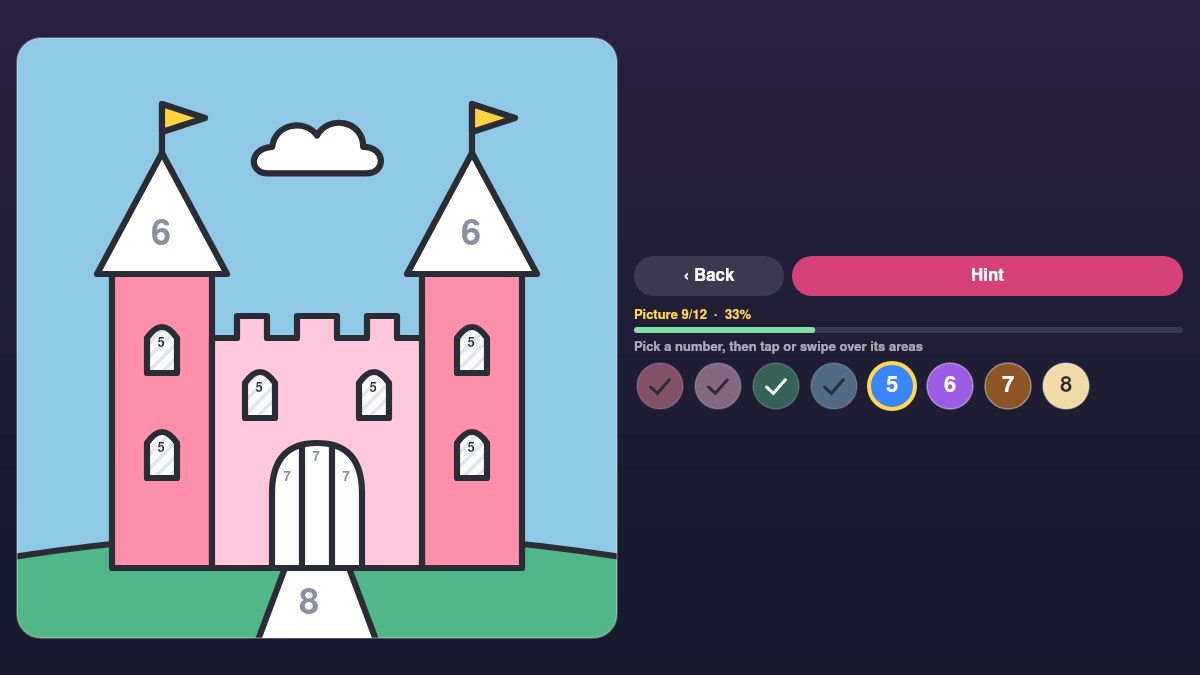
In Coloring Book you open the twelve pictures with the By number switch. The numbered colors sit under the picture. Pick one, then tap its areas or swipe across them. A few things help you along:
- Stripes: the areas of the number you picked are lightly striped, so you can see where they are at a glance.
- Ticks: when every area of a color is done, its button shows a tick and the game picks the next unfinished color for you.
- Hint: circles the areas of the current color that are still empty.
- Areas filled in for you: details too small to hold a readable number (narrower than about 3% of the picture) and areas that are white in the finished picture are colored from the start.
What we counted
We split each picture into areas the same way the game does and counted them. The numbers include only the areas you color yourself.
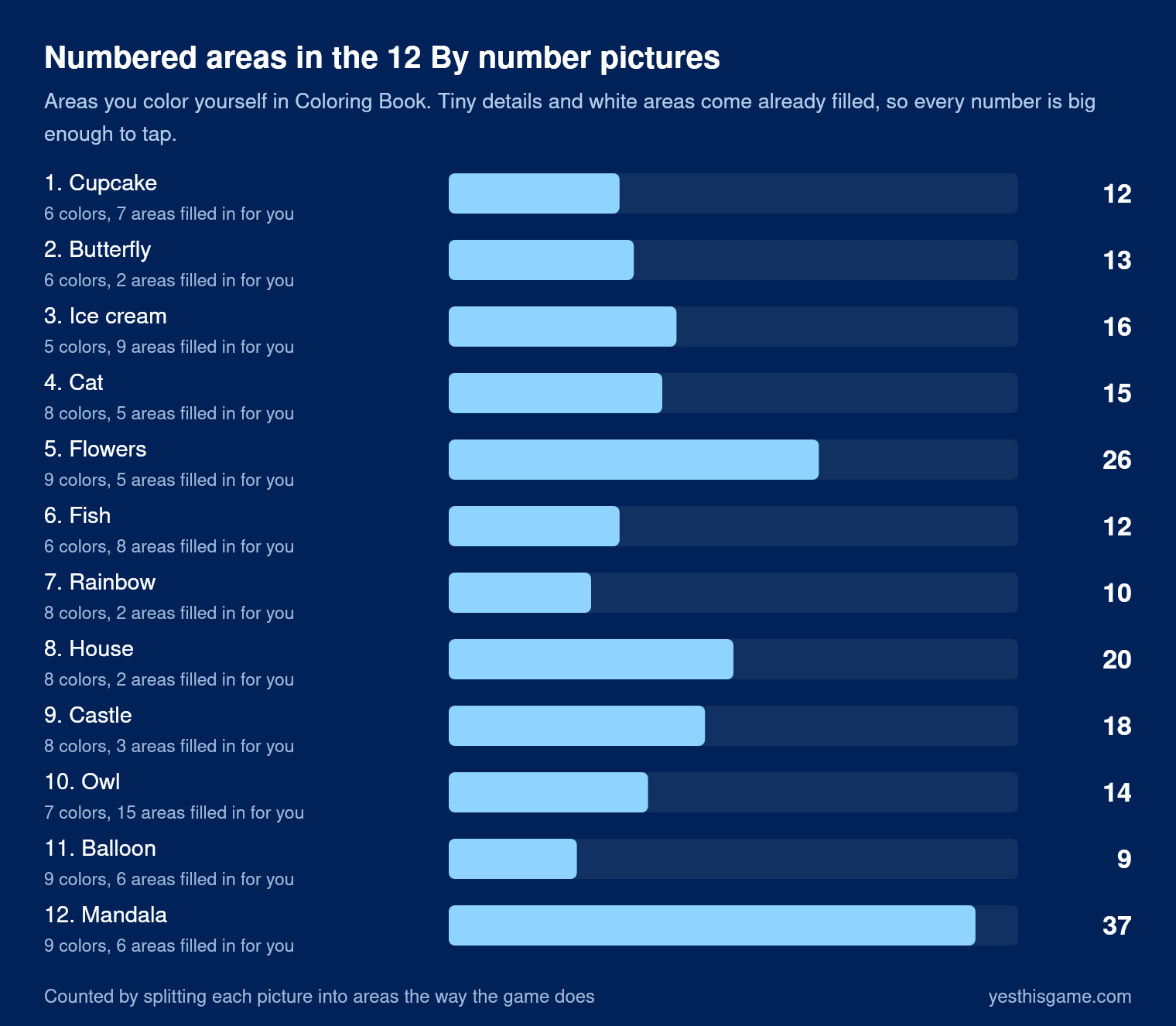
| Picture | Numbered areas | Colors | Filled in for you | Largest area |
|---|---|---|---|---|
| 1. Cupcake | 12 | 6 | 7 | 60% |
| 2. Butterfly | 13 | 6 | 2 | 74% |
| 3. Ice cream | 16 | 5 | 9 | 81% |
| 4. Cat | 15 | 8 | 5 | 68% |
| 5. Flowers | 26 | 9 | 5 | 76% |
| 6. Fish | 12 | 6 | 8 | 62% |
| 7. Rainbow | 10 | 8 | 2 | 47% |
| 8. House | 20 | 8 | 2 | 49% |
| 9. Castle | 18 | 8 | 3 | 49% |
| 10. Owl | 14 | 7 | 15 | 49% |
| 11. Balloon | 9 | 9 | 6 | 69% |
| 12. Mandala | 37 | 9 | 6 | 32% |
“Largest area” is the share of the whole picture covered by its biggest single area, usually the background.
Two patterns stand out. In eleven of the twelve pictures one area, nearly always the background, covers between 47% and 81% of the picture, so a single tap changes the picture more than anything else you do. And the number of areas is spread very unevenly across the colors: in the ice cream, one color, the cone, has 12 of the 16 numbered areas.
8 color by number tips
1. Finish one number before you start the next
Jumping between colors is how areas get forgotten. Pick a number, color every area that shows it, and wait for the tick. In Coloring Book the next color is then chosen for you, so you can keep going without looking down.
2. Swipe instead of tapping
In Coloring Book only a tap counts as a mistake: touching an area that has another number and lifting your finger there. A swipe never does. It colors every area of the chosen number it passes over and skips the others, even when it starts on a wrong one. A single zigzag stroke can color all twelve waffle cells of the ice cream cone.
3. Start with the color that has the most areas
The picture becomes recognizable fastest that way, and the colors that are left have only a few areas each, which makes them easy to finish. The cone of the ice cream, the petals of the flowers (8 areas) and the sky and window panes of the house (9 areas) are good first numbers.
4. Color the background early
Because the background is usually the largest area, coloring it early shows you the shape of everything else. It also leaves only the smaller areas, where the numbers are easier to spot.
5. Use the stripes to find small areas
The stripes mark every area of the current number, including the ones whose number is small. Look for stripes in the corners of the picture, between petals and behind other shapes before you reach for the hint.
6. Keep the hint for the end
Hint circles the empty areas of the current color for a moment. It costs nothing, but it is most useful at the end, when one or two areas are left somewhere you have not looked.
7. You have two mistakes to spare
Up to two mistakes still give three stars, up to six give two, and any finished picture earns at least one star and opens the next. If you are unsure about an area, swipe across it: a swipe cannot cost you a star.
8. Work from the outside in on mandalas
The mandala has the most areas (37) and the most repeats: the same number appears on every second petal. Going round one ring at a time, outside first, is easier than hunting for numbers across the whole circle.
Ready to try? Play Coloring Book in your browser and switch to By number. It works on phones and computers, with nothing to download.
When you want to choose the colors yourself
The other half of Coloring Book has no numbers. You can fill sixteen pictures with 30 colors and seven patterns (dots, stripes, checks, hearts, glitter and a soft gradient), paint with a brush that only colors inside the area where you start, and add stickers. Magic colors fills every area with a random palette when you want a starting point. Our guide to colors that go together explains how to pick a palette that works.
Controls on phone and computer
- Phone and tablet: tap a number, then tap or swipe over the picture. Coloring on the picture does not scroll the page.
- Computer: click a number and click or drag over its areas. Left and right arrows switch between numbers, H shows a hint and Esc goes back to the list of pictures.
- Your progress is kept: the picture you are working on and your stars stay in your browser on this device.
Frequently asked questions
What is color by number?
A line drawing split into areas, each marked with a number. A palette tells you which color each number means, and the finished picture appears when every area has its color.
How do I finish a color by number picture without mistakes?
Pick one number, swipe across its areas, and move on only when its button shows a tick. Use the hint for the last areas you cannot find. In Coloring Book only a tap on an area with another number counts as a mistake.
Does swiping count as a mistake?
No. A swipe colors every area of the chosen number it passes over and skips the others, even when it starts on a wrong area.
What do the stripes mean?
They mark the areas of the number you picked, so you can find them quickly, even small ones.
How are stars given in Coloring Book?
By mistakes: up to two mistakes give three stars, up to six give two, and every finished picture gives at least one star and opens the next picture.
Can I choose my own colors?
Yes. Switch Coloring Book to Coloring: sixteen pictures, 30 colors, seven fill patterns, a brush that stays inside the lines and stickers, with no score.