Arcade guide
IO Train Game Tips: Pointing at a Corner Ends Within 10 Seconds
Key takeaways
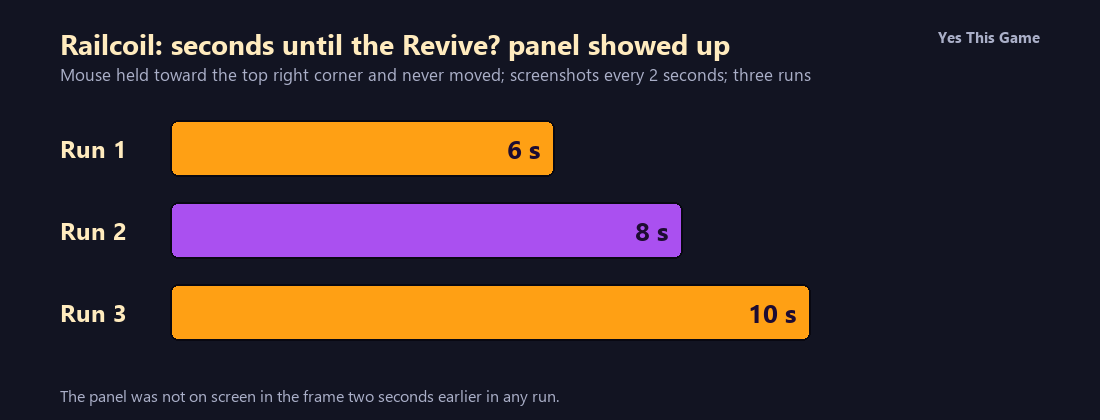
- With the mouse parked toward a corner and never moved, the Revive panel first showed up in the 6, 8 and 10 second frames.
- In none of the three runs was the panel on screen two seconds earlier.
- Reviving costs 250 coins and the coin counter started at 7, so the revive is out of reach early on.
- A locked skin showed a price of 500 coins.
The first io train game tip is to keep steering: in Railcoil we parked the mouse toward a corner and the Revive panel first showed up after 6, 8 and 10 seconds in our three runs. In no run was it on screen two seconds earlier.
How the game works
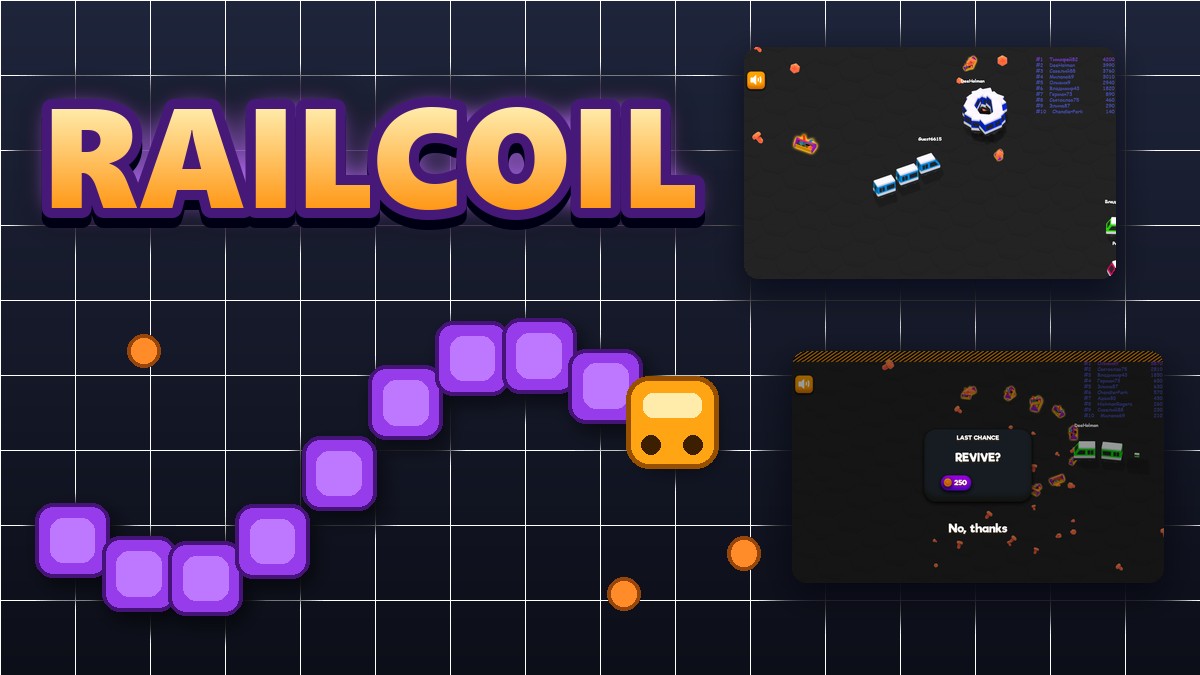
Railcoil is a snake-style train game. The menu has a nickname box, a Play button and a Change Skin button, with a tip line above them. On the board you steer your train with the mouse, a leaderboard of ten trains sits at the top right, and a sound button sits at the top left. Crashing opens a Last Chance panel with a Revive? question, a button priced at 250 coins and a No, thanks link.
What we measured
We played in a test browser at 1280 by 800 pixels with software rendering. In each run we pressed Play, pointed the mouse toward the top right corner and kept it there, and took a screenshot every 2 seconds for 28 seconds. We made three runs and noted the first screenshot that showed the Revive panel.
| Run | Seconds after Play |
|---|---|
| Run 1 | 6 |
| Run 2 | 8 |
| Run 3 | 10 |
Three runs in one test browser with slow software rendering, so the times are approximate (screenshots every 2 seconds, counted from about 1.5 seconds after Play). The bot-driven rival trains are placed at random each time. We did not test any steering strategy.
Coins and skins
The skin screen shows a coin counter in the corner; ours read 7 at first. The Revive button costs 250 coins, so it was out of reach in our runs. A locked skin showed a price of 500.
4 tips that follow from the numbers
- Do not park the mouse. The panel appeared within 6 to 10 seconds of doing so.
- Steer around the striped wall. It borders the board.
- Do not count on the revive. It costs 250 coins and we started with 7.
- Try the boost when you are long. The game’s own tip says to hold the mouse button.
Where to try it
Try it yourself in Railcoil. For another snake-style game, Pixelcoil is a classic snake on a small green screen.
Frequently asked questions
How do you steer in Railcoil?
With the mouse; the train follows the pointer.
What happened with the mouse parked at a corner?
The Revive panel first appeared 6, 8 and 10 seconds in, in the three runs.
What does a revive cost?
250 coins; our coin counter showed 7 at the start.
Can I change the skin?
Yes, with Change Skin on the menu; a locked one showed a price of 500.
Is there a speed boost?
The game’s own tip says to hold the mouse button when your train is longer.
Does Railcoil work on a phone?
It is made for a mouse, so it plays best on a computer.