Racing guide
Pixel Car Racing Tips: Nine Runs, Scores From 8 to 18
Key takeaways
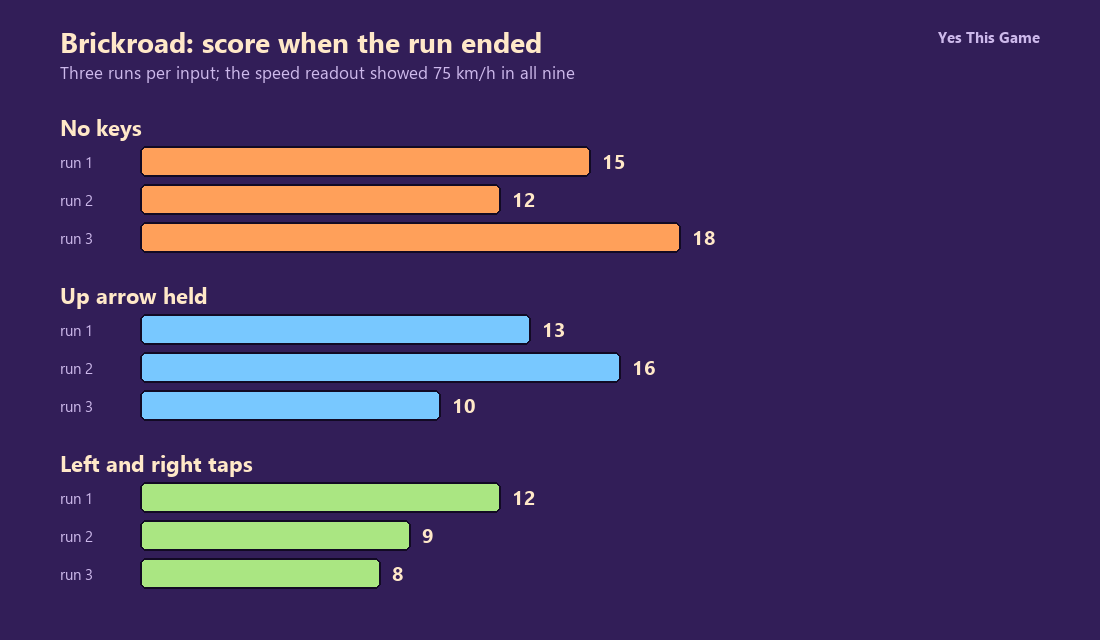
- With no keys pressed, the runs ended with scores of 15, 12 and 18.
- With the up arrow held, they ended with 13, 16 and 10.
- Tapping left and right at a steady beat ended with 12, 9 and 8.
- The speed readout showed 75 km/h in all nine runs.
The first pixel car racing tip is to go easy on the steering: in Brickroad three runs with no keys pressed ended with scores of 15, 12 and 18, while three runs of steady left and right taps ended with 12, 9 and 8. Holding the up arrow gave 13, 16 and 10.
How the game works
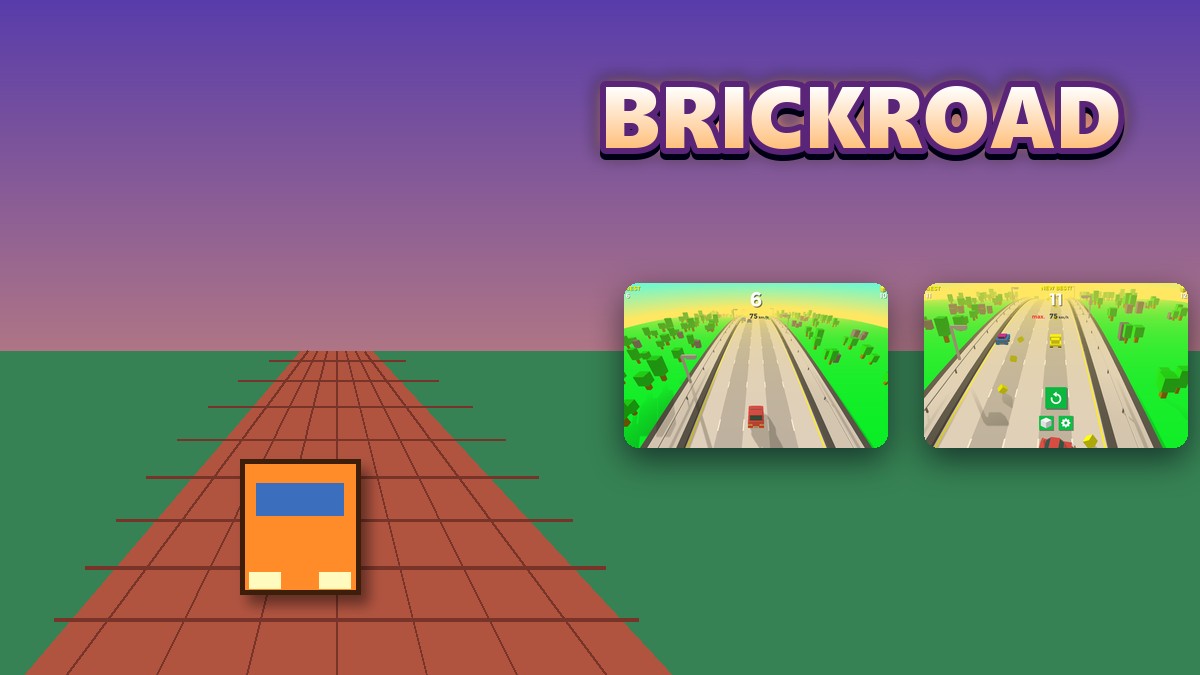
Brickroad is a 3D pixel-style car racing game. After PLAY, your blocky car drives itself down a busy highway. The score is shown large in the middle of the screen with a speed readout under it, your best score is at the top left and a coin counter is in the corner. Yellow cubes lie along the road, and a crash into traffic shows the result: a New Best message if you beat your score, the top speed and a restart button.
What we measured
We played in a test browser at 1280 by 800 pixels with software rendering, which makes the game run slowly. In each run we pressed PLAY and then did one of three things for up to 20 seconds: pressed no keys, held the up arrow, or tapped the left and right arrows alternately, each tap lasting about half a second. We read the score at which the run ended. We made three runs for each input.
| Input | Run 1 | Run 2 | Run 3 |
|---|---|---|---|
| No keys | 15 | 12 | 18 |
| Up arrow held | 13 | 16 | 10 |
| Left and right taps | 12 | 9 | 8 |
Three runs per input in one test browser with slow software rendering, so the scores are approximate. The game’s tutorial talks about swiping, which we did not test; we only used the keyboard. The speed readout showed 75 km/h in all nine runs.
What you see on screen
The start screen shows the Brickroad Pixel Racing title, the PLAY button, a cube button for the cars and a gear button. The gear opens a small panel with sound and music buttons. After a crash the road stays on screen behind the score and the restart button.
4 tips that follow from the numbers
- Expect a short run. No keys ended at 12 to 18 points.
- Do not tap left and right at a steady beat. It ended with 8 to 12.
- Do not count on the up arrow. The scores of 10 to 16 look like doing nothing.
- Try the cars and the settings first. The cube and gear buttons are on the start screen.
Where to try it
Try it yourself in Brickroad. For a similar blocky highway, Boxcruise sends a cream-colored car down the road.
Frequently asked questions
How do you start a run in Brickroad?
Press the green PLAY button.
What score did no keys give?
15, 12 and 18 in three runs.
Did the up arrow help?
Not clearly: 13, 16 and 10.
What about tapping left and right?
It did worse in our runs: 12, 9 and 8.
What speed did the readout show?
75 km/h in all nine runs.
Does Brickroad work on a phone?
It is made for a wide screen, so it plays best on a computer.