Coloring guide
Coloring Game Tips From Measuring Every Brush
Key takeaways
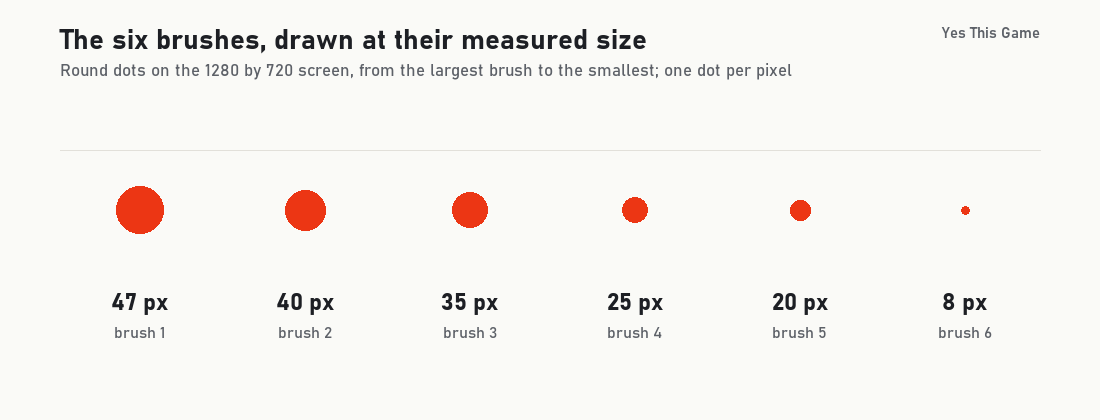
- The six brushes paint round dots 47, 40, 35, 25, 20 and 8 pixels wide on the 1280 by 720 screen.
- The game stamps a dot at every pointer position, so a fast stroke leaves a dotted line: 25-pixel steps left gaps with the 8-pixel brush.
- The black outlines stay on top of the colours.
- There are 12 pictures on two pages and 13 pencil colours.
The first coloring game tip is to match the brush to the job: in Penciltown the six brushes paint round dots 47, 40, 35, 25, 20 and 8 pixels wide, and a fast stroke with a small brush leaves a dotted line. We painted red lines with every brush in a test browser and measured them on the 1280 by 720 screen.
How the game works
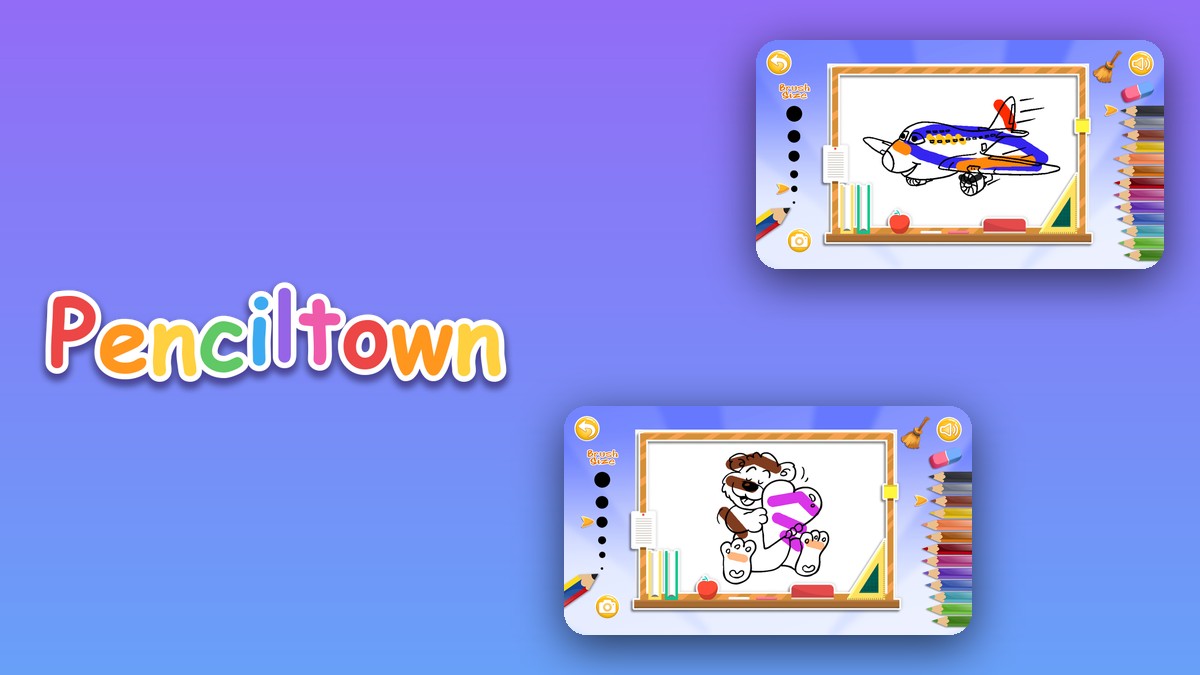
Penciltown is a colouring book with 12 black-and-white cartoon pictures on two pages of six. On the board you choose one of six brush sizes on the left and one of 13 pencil colours on the right, then press and hold the mouse button and move. An eraser and a broom sit at the top right. The broom asks “Do you want to clean the colors?” before it clears anything.
The six brushes, measured
We drew a red line with each brush on the empty part of the board and measured how tall the red band was. The game paints round dots, so the height is the width of the dot.
| Brush | Dot width (pixels) |
|---|---|
| 1 (largest) | 47 |
| 2 | 40 |
| 3 | 35 |
| 4 | 25 |
| 5 | 20 |
| 6 (smallest) | 8 |
Measured once per brush in one test browser on a 1280 by 720 screen; on other screen sizes the picture is scaled.
Fast strokes leave dots
The game paints one round dot at each position the pointer reports. When we moved the pointer in steps of 25 pixels, the big brushes still made a solid band, but the 8-pixel brush made a row of separate dots with gaps between them. Move slowly with a small brush, or use a bigger one for large areas.
The outlines stay on top
When we painted a red stroke across the cartoon plane, the black outlines of the plane were still visible on top of the red. You can paint over a line without losing it.
Eraser and broom
The eraser removed the red band where we dragged it across. The broom opened the question “Do you want to clean the colors?” with No and Yes. Use the eraser for small fixes and the broom to start the picture again.
4 tips that follow from the measurements
- Start with brush 1 or 2. They paint dots 47 and 40 pixels wide, good for the big areas.
- Slow down with small brushes. Steps of 25 pixels left gaps with the 8-pixel brush.
- Paint over the lines. The black outlines stay on top.
- Erase before you clear. The broom removes all the colours.
Where to try it
Try it yourself in Penciltown. For more relaxed puzzles, Cubeclear is a block puzzle and Gemlane is about falling gems.
Frequently asked questions
How wide are the brushes in Penciltown?
We measured round dots 47, 40, 35, 25, 20 and 8 pixels wide for the six brushes, from the largest to the smallest, on the 1280 by 720 screen.
Why is my coloured line dotted?
The game paints a round dot at each pointer position. In our test, steps of 25 pixels left gaps with the 8-pixel brush but not with the 47-pixel brush.
Do the colours cover the black outlines?
No. In our test the black outlines stayed on top of the red paint, so the lines of the picture remain visible.
How many pictures and colours are there?
There are 12 pictures on two pages of six and 13 pencil colours, plus an eraser.
How do I clear the picture?
Press the broom at the top right and answer Yes to the question ‘Do you want to clean the colors?’.
Does Penciltown work on a phone?
In landscape, yes: a tap on the play button started the game in a phone-sized test. Held upright, the game asks you to turn the phone.