Racing guide
Traffic Racer Game Tips: Speed After 20 Seconds
Key takeaways
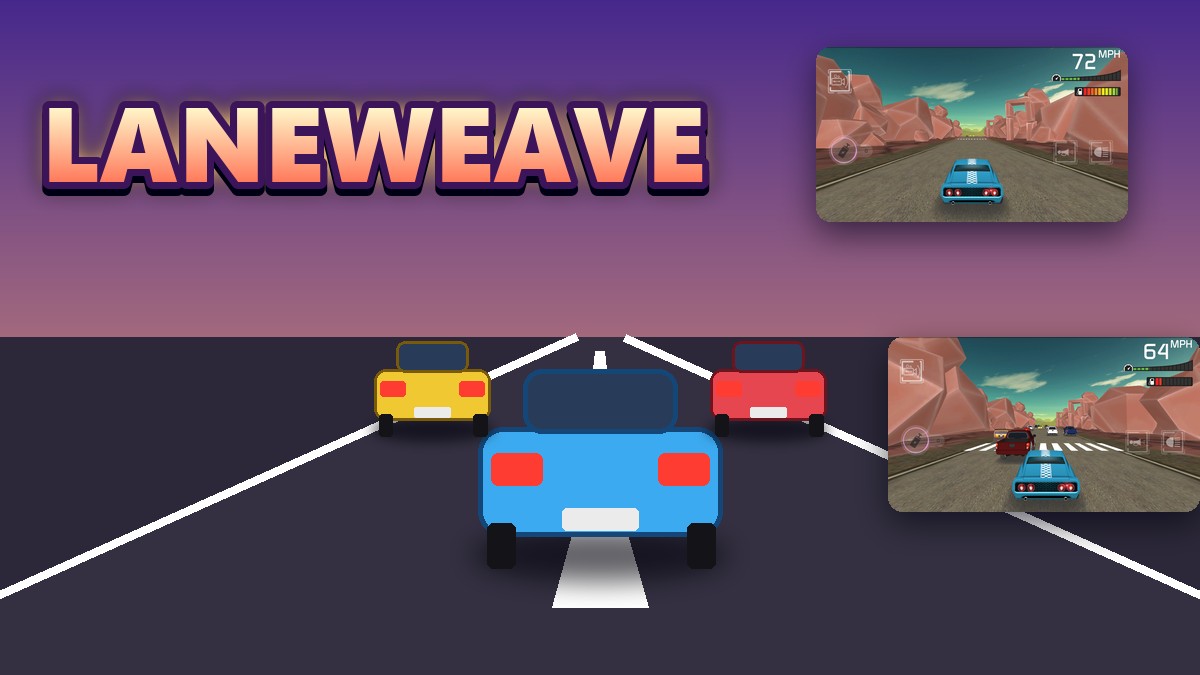
- The car cruised at 72 MPH in the first seconds of two separate runs.
- Twenty seconds after the start the speed reading was 33 to 66 MPH across nine runs.
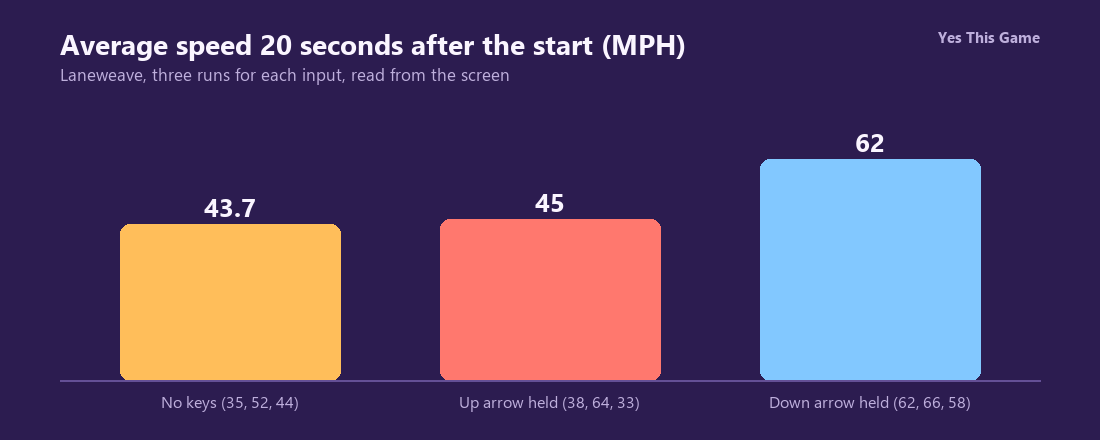
- With no keys pressed the three readings were 35, 52 and 44 MPH.
- Before a run you pick a world and a car and can equip boosters with in-game coins.
The first traffic racer game tip is to treat speed as something traffic takes away: in Laneweave the car starts at 72 MPH, but 20 seconds later our nine runs read between 33 and 66. Every contact with another car costs speed, so finding gaps matters more than pressing keys.
How the game works
Laneweave is a 3D racing game seen from behind your car. Before a run you choose a world and a car, then read the run objective and optionally equip boosters with the game’s own coins. On the road you see your speed in MPH, a fuel bar and a progress bar with a finish flag. Coins lie along the highway.
What we measured
We played in a test browser at 1280 by 800 pixels with software rendering. In each run we started the first world, then pressed nothing, held the up arrow or held the down arrow, and read the speed from the screen after 20 seconds. We made three runs for each input.
| Input | Runs | Average |
|---|---|---|
| No keys pressed | 35, 52, 44 | 43.7 |
| Up arrow held | 38, 64, 33 | 45 |
| Down arrow held | 62, 66, 58 | 62 |
Three runs per input in one test browser; the traffic is random and a collision lowers the speed, so these readings show a direction, not a rule. We did not isolate why the down arrow runs read higher.
What comes before the road
The world screen offers First Fun World and two locked worlds that unlock at level 5 and 6 or for 1,000 coins. The car screen shows Power, Speed and Road Grip. The run objective screen lists five boosters with prices from 300 to 500, and the game starts you with 99,999 coins. Nothing costs real money.
4 tips that follow from the numbers
- Use the opening. The car starts at 72 MPH, higher than any later reading in our runs.
- Avoid contact. Readings after 20 seconds were 33 to 66 MPH.
- Look at the boosters. A nitro boost is one of five on offer.
- Watch the fuel bar next to the speed.
Where to try it
Try it yourself in Laneweave. For a drifting game, Smokeslide sends a car sideways through corners.
Frequently asked questions
How fast does the car start in Laneweave?
72 MPH in the first seconds of play.
What was the speed 20 seconds in?
Between 33 and 66 MPH over nine runs; traffic contact slows the car.
What did we read with no keys pressed?
35, 52 and 44 MPH in three runs, 43.7 on average.
What are the controls?
Arrow keys steer; on-screen buttons give the camera, horn and headlights.
Does anything cost real money?
No; the game starts with in-game coins and the shops use only those.
Does Laneweave work on a phone?
It is made for a wide screen and keyboard, so it plays best on a computer.