Arcade guide
Wood Stair Game Tips: Drag Right, Not Left
Key takeaways
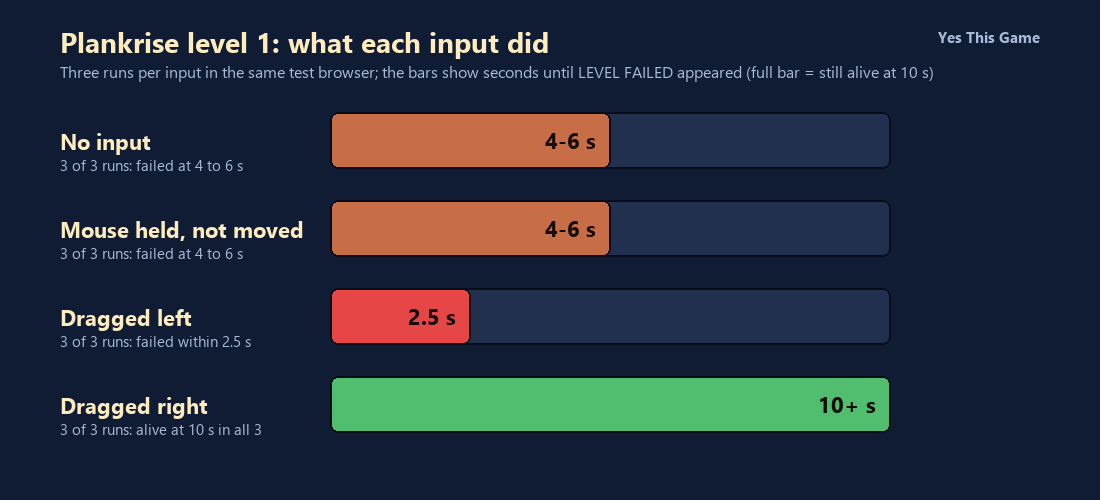
- With no input, the level failed 4 to 6 seconds after the start in all three runs.
- Dragging the mouse to the left ended the level within 2.5 seconds in all three runs.
- Dragging to the right kept the woodcutter alive at 10 seconds in all three runs.
- Holding the mouse button without moving it failed at the same time as doing nothing.
The first wood stair game tip is to drag the mouse to the right: in Plankrise all three runs where we dragged right had the woodcutter still running at 10 seconds, while dragging left ended level 1 within 2.5 seconds. Doing nothing failed after 4 to 6 seconds.
How the game works
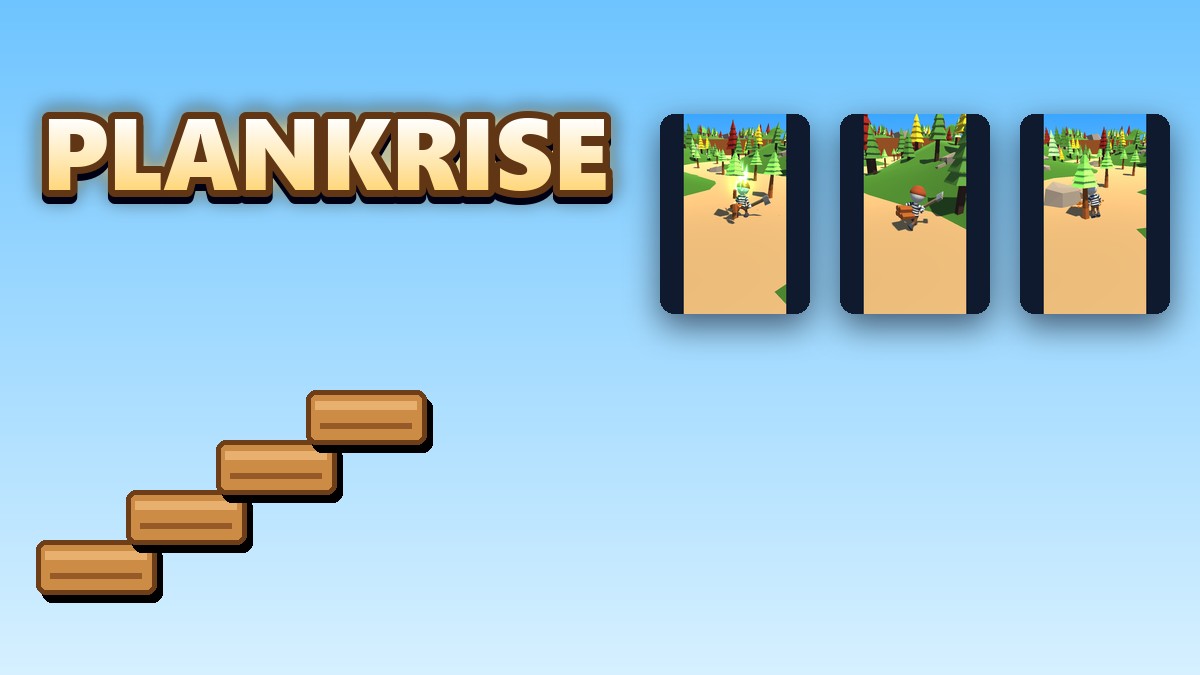
Plankrise is a 3D lumberjack runner. You click the screen to start, and a woodcutter in a striped shirt and a red cap runs forward on his own. Dragging the mouse with the button held steers him. He chops the trees he reaches and carries the planks on his back, and a rock ends the level with a Level Failed message and a Retry button.
What we measured
We played level 1 in a test browser at 1280 by 800 pixels with software rendering, which makes the game run slowly. We tried four inputs, three runs each: no input, the mouse held down without moving, the mouse dragged slowly to the left and the mouse dragged slowly to the right. We took a screenshot every 2 seconds for the first two inputs and every half second for the drags, and looked for the Level Failed screen.
| Input | Level Failed appeared |
|---|---|
| No input | at 4 to 6 s, 3 of 3 |
| Mouse held, not moved | at 4 to 6 s, 3 of 3 |
| Dragged left | within 2.5 s, 3 of 3 |
| Dragged right | not by 10 s, 3 of 3 |
Three runs per input in one test browser with slow software rendering, so the times are approximate. We did not finish the level, so we cannot say what happens at the finish line. The drags moved the pointer gradually by about 260 pixels.
What you see on screen
The start screen shows a sound button in the corner, the level number and the woodcutter with his axe. While running, you pass trees in green, yellow and red; chopping one throws sparks and a green glow, and the planks pile up on his back. After a crash the screen darkens and shows Level Failed with a Retry button.
4 tips that follow from the numbers
- Do not stand still. The level failed 4 to 6 seconds in with no input.
- Start by dragging right. It kept the woodcutter alive at 10 seconds in all three runs.
- Do not drag left at the start. It ended the level within 2.5 seconds.
- Move the mouse, not just the button. Holding it down without moving failed as fast as doing nothing.
Where to try it
Try it yourself in Plankrise. For another runner with a hop, Hoplane has you jump between lanes.
Frequently asked questions
How do you steer in Plankrise?
Hold the mouse button and drag left or right.
What happened with no input?
Level 1 failed 4 to 6 seconds after the start in 3 of 3 runs.
What happened when dragging left?
The level failed within 2.5 seconds in 3 of 3 runs.
What happened when dragging right?
The woodcutter was still running at 10 seconds in 3 of 3 runs.
Does holding the mouse button help?
Not on its own; it failed at the same time as no input.
Does Plankrise work on a phone?
It is made for a mouse, so it plays best on a computer.