Action guide
Zombie Truck Game Tips: The Power Bar Drains Even If You Wait
Key takeaways
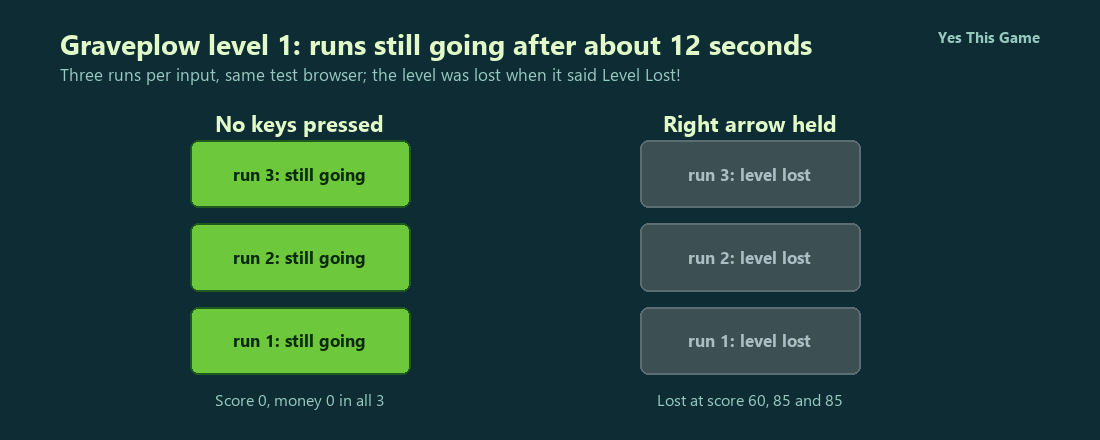
- With no keys pressed, all three runs were still going after about 12 seconds, but the Power bar fell from 91 to 95 down to 61 to 65.
- Holding the right arrow, all three runs ended in Level Lost! within about 12 seconds, at scores of 60, 85 and 85.
- The upgrades screen starts at $0 and lists five upgrades from $200 to $500.
- The level selector shows fifteen levels and only the first is open at the start.
The first zombie truck game tip is not to wait: in Graveplow the Power bar fell on its own from about 93 to about 63 in 12 seconds with no keys pressed, while the level was still going in all three runs. Holding the right arrow, by contrast, ended all three runs in Level Lost! within about 12 seconds.
How the game works
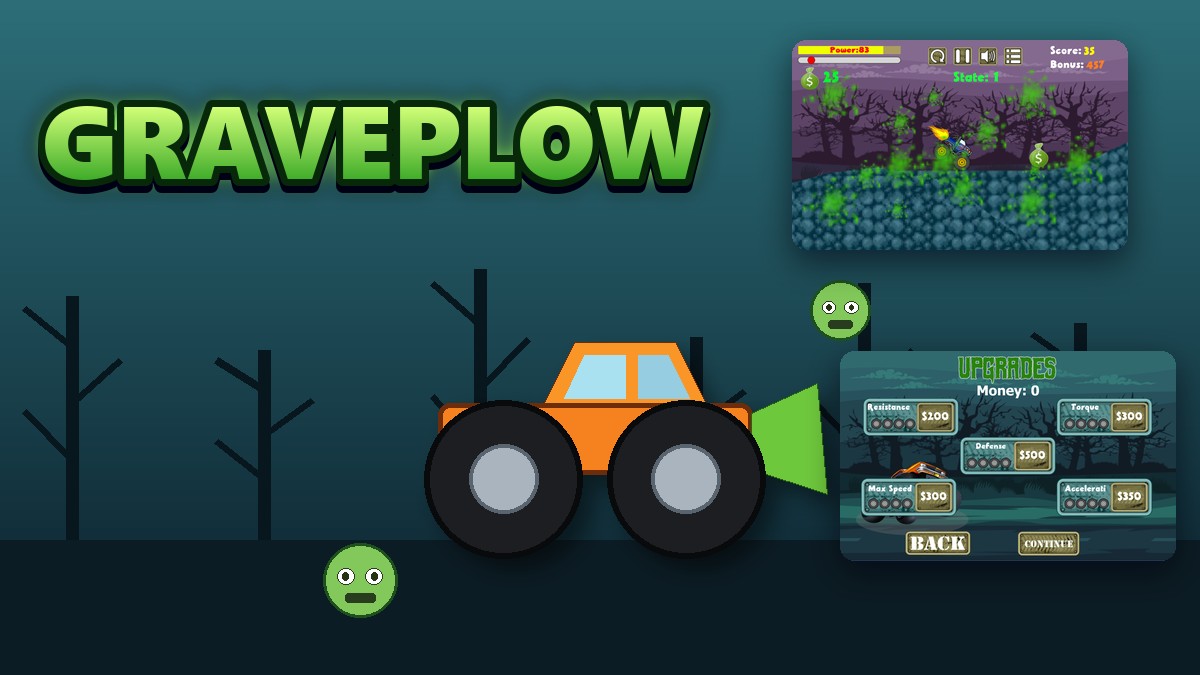
Graveplow is a 2D monster truck game on a gloomy graveyard road. On the level selector you pick the first of fifteen levels, look at the upgrades screen, press CONTINUE and drive with the left and right arrow keys. A yellow Power bar, a progress bar and a money counter sit at the top left, and your Score and a counting-down Bonus sit at the top right. Zombies shuffle into the truck’s path and money bags lie along the hills.
What we measured
We played level 1 in a test browser at 1280 by 800 pixels with software rendering, so everything runs slowly. In each run we either pressed no keys or held the right arrow, and we looked at the screen about every three seconds for 12 seconds. We made three runs for each input.
| Input | Still going | Level Lost! | What we saw |
|---|---|---|---|
| No keys pressed | 3 of 3 | 0 of 3 | Power 91 to 95 fell to 61 to 65; score 0; money 0 |
| Right arrow held | 0 of 3 | 3 of 3 | Lost at scores of 60, 85 and 85 |
Three runs per input in one test browser with slow software rendering, so the timing is approximate. Four earlier tries with the right arrow held also ended in Level Lost!, at scores of 85, 85, 85 and 165. We did not find out how to finish a level.
What the upgrades screen offers
You start with $0. The screen lists five upgrades with starting prices: Resistance $200, Torque $300, Defense $500, Max Speed $300 and Acceleration $350, each with four wheel icons under its name. BACK returns to the level selector and CONTINUE starts the level.
4 tips that follow from the numbers
- Do not wait at the start. The Power bar lost about 30 points in 12 seconds with no keys pressed.
- Hold the right arrow to score. Our runs reached 60 to 85 points within seconds.
- Expect to lose levels. Holding the right arrow alone ended every run in Level Lost!.
- Collect the money bags. The upgrades cost $200 to $500 and you start with $0.
Where to try it
Try it yourself in Graveplow. For another zombie game, Smashlane drives a car through waves of zombies in a car park.
Frequently asked questions
How do you drive in Graveplow?
With the left and right arrow keys; hold the right arrow to move forward.
What happens if you wait at the start?
The Power bar goes down by itself: from 91-95 to 61-65 in about 12 seconds in our three runs.
What happened when we held the right arrow?
All three runs ended in Level Lost! within about 12 seconds, at scores of 60, 85 and 85.
How many levels are there?
Fifteen; only the first one is open at the start.
What do the upgrades cost?
Between $200 and $500 each; you start with $0.
Does Graveplow work on a phone?
It is made for a keyboard, so it plays best on a computer.