Arcade guide
Ball Drop Tower Game Tips: What 14 Test Runs Show
Key takeaways
- In 14 test runs where we only held the button, 10 cleared level 1 and 4 ended on a dark segment.
- Every cleared run showed exactly 16 points on the Level Completed screen.
- The four failures ended at 1, 6, 13 and 16 points, so a dark segment can end a run at any height.
- Holding is a strong default: it worked in about seven runs out of ten, and the rest of the game is about not touching dark segments.
The simplest tip for a ball drop tower game is to hold the button and keep holding: in 14 test runs of Plungetower where we did nothing else, 10 cleared level 1 and 4 ended on a dark segment. We ran the same test 14 times and wrote down what the screen showed.
How the game works
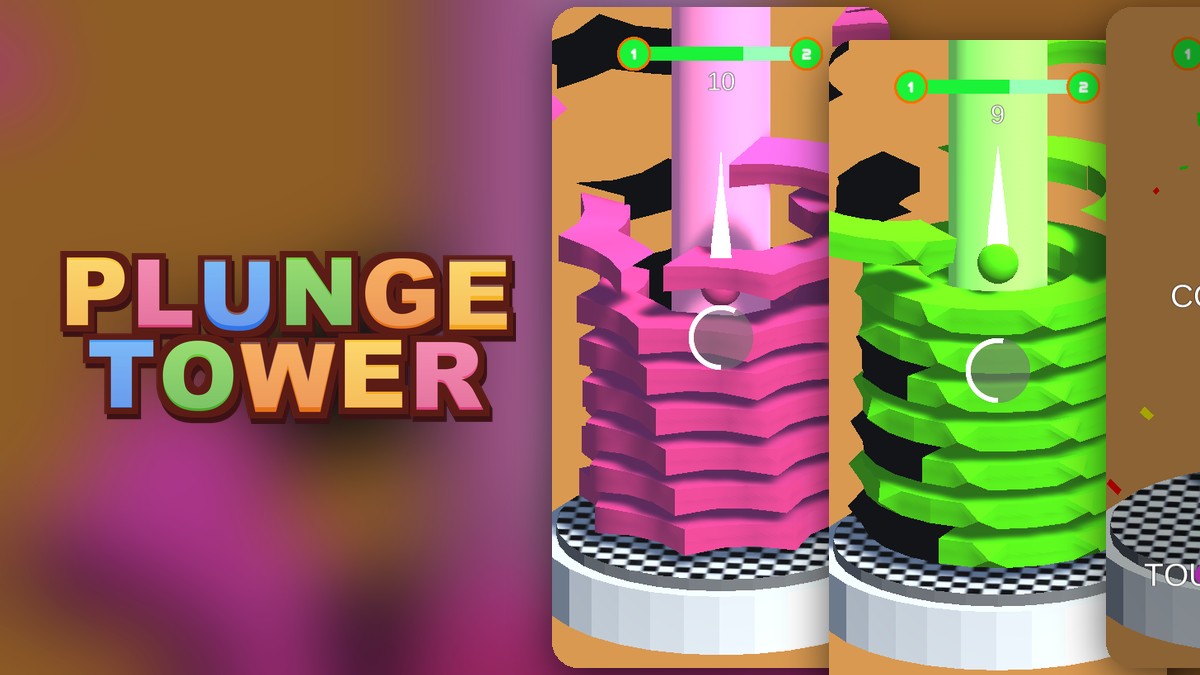
A ball sits on top of a tower of colorful rings. You press and hold the left mouse button and the ball smashes down through the rings. A bar at the top runs from level 1 to level 2 and fills as you go. A circle meter builds around the ball while you keep smashing. When you touch a dark segment, the Game Over screen shows SCORE, BEST and the words Touch to Restart. When you reach the bottom, a Level Completed screen shows confetti and the words Touch to Next.
14 runs with the button held down
For each run we loaded the game fresh, pressed the button on the start screen and held it for five seconds without doing anything else. Every load builds a new tower, so each run is a different level 1. We played in a test browser, which runs the game slower than a normal computer, so treat the pace as a guide, not a rule.
| Outcome | Runs | Points shown |
|---|---|---|
| Level completed | 10 | 16 every time |
| Game over | 4 | 1, 6, 13 and 16 |
Our 14 runs are a small sample from one test browser, not a measured win rate for every player.
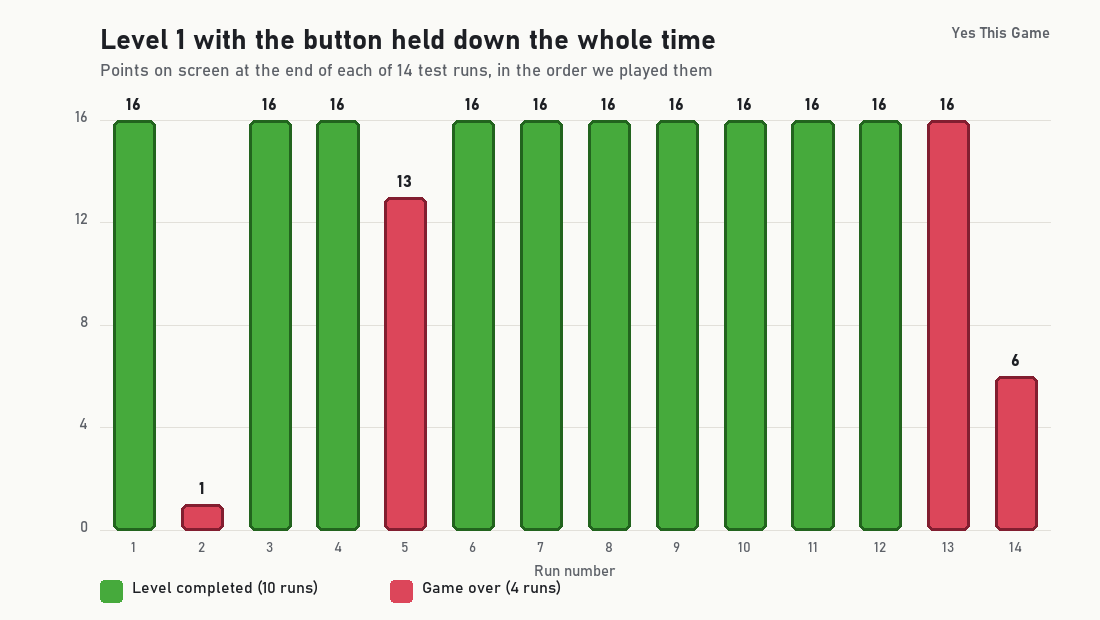
Two things stand out. Every completed run showed exactly 16 points, so on level 1 the total does not depend on how you got there. And the failures did not cluster at the start: one ended at 1 point, one at 6, one at 13 and one at 16.
4 tips that follow from the runs
- Hold first, think second. Pressing and holding cleared level 1 in 10 of 14 runs, so it is a strong default.
- Look at the dark segments before you press. They were the only thing that ended a run in our tests.
- Do not relax near the end. One of the four failures happened at 16 points, the same total the completed runs showed.
- Read the circle meter. It builds while you keep smashing. We did not measure what it does when full, but the game files name an invincible state and a fire effect, so it is worth watching.
Where to try it
Try it yourself in Plungetower. For a calmer puzzle, Orchard Link asks you to chain matching fruit before a timer ends.
Frequently asked questions
How do you win Plungetower?
Press and hold the left mouse button to smash down through the rings until the progress bar fills and the Level Completed screen appears. Avoid the dark segments on the way.
Is holding the button enough to clear level 1?
Often. In 14 test runs with the button held the whole way, 10 cleared level 1 and 4 ended in Game Over.
How many points does level 1 give?
Every level 1 run that reached the bottom in our test showed 16 points on the Level Completed screen (10 of 10).
What ends a run?
Touching a dark segment. The Game Over screen then shows your score and your highest score, and a click restarts.
At what score did the failed runs end?
At 1, 6, 13 and 16 points, one run each, so a dark segment can end a run early or at the very end.
Is the highest score kept after a reload?
Yes. The highest score was still on the Game Over screen after we reloaded the page.