Action guide
Mech Shooter Game Tips: Click First, Then Hold to Fire
Key takeaways
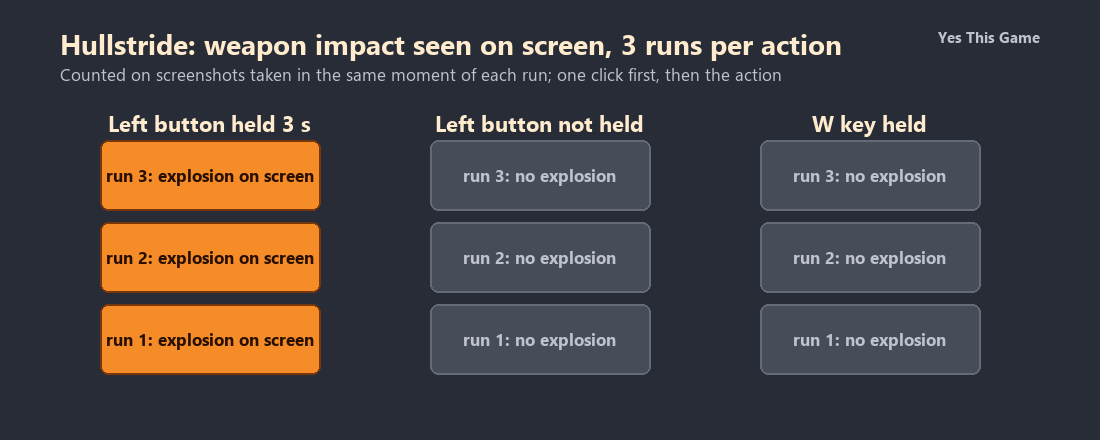
- After one click inside the mission, holding the left mouse button for 3 seconds showed an impact explosion in all three runs.
- With the button not held, none of the three runs showed an explosion.
- Holding W for 4 to 10 seconds showed no explosion in any run, and we could not confirm movement.
- Red laser lines crossed the view about 30 to 40 seconds into a mission in every run.
The first mech shooter game tip is to click inside the game and then hold the button: in Hullstride a 3-second hold of the left mouse button showed an impact flash in all three runs, and without the hold none did. Holding the W key showed no impact in any run.
How the game works
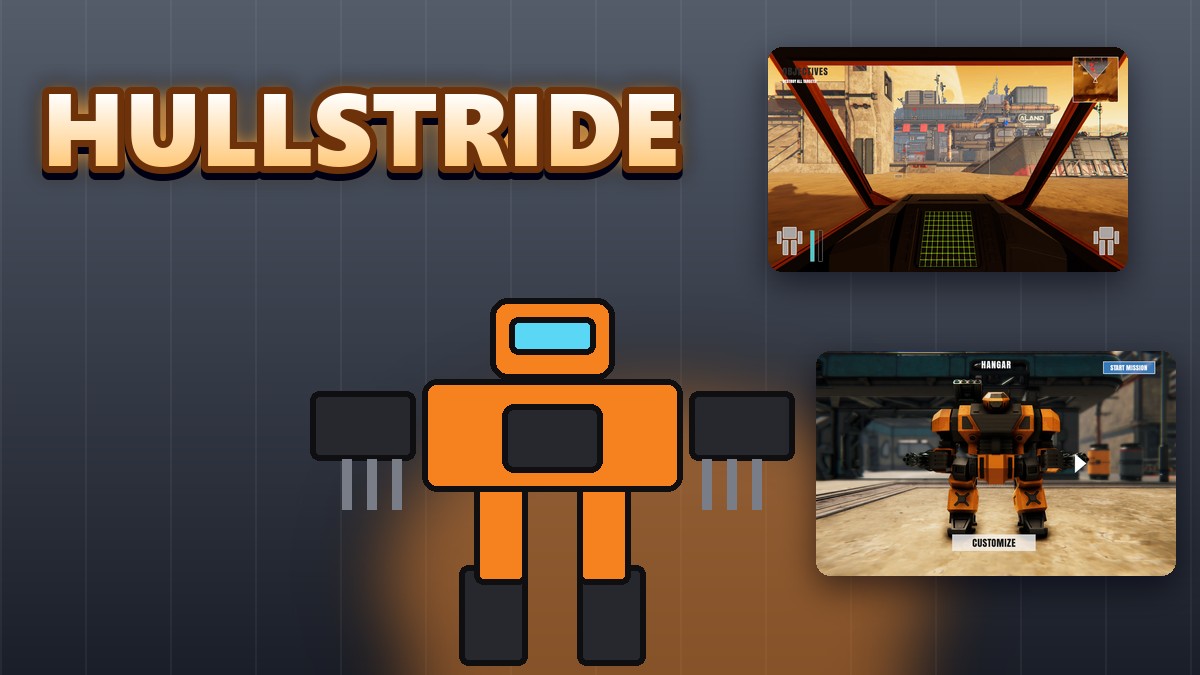
Hullstride is a 3D robot shooter seen from inside the cockpit. You start in a hangar with an orange and black war robot and press START MISSION at the top right. The mission looks out over a desert base. An OBJECTIVES line sits at the top left, a radar box at the top right, and the corners at the bottom hold arm icons with a bar.
What we measured
We played the first mission in a test browser at 1280 by 800 pixels with software rendering, so the game runs slowly. After the mission loaded we clicked once inside the game, then took a screenshot, held the left mouse button for 3 seconds and took another, let go, and finally held W for 10 seconds and took two more. We counted a run as showing an impact if an explosion with sparks was visible. We made three runs.
| Action | Explosion seen |
|---|---|
| Left button held for 3 seconds | 3 of 3 |
| Left button not held | 0 of 3 |
| W held for 4 to 10 seconds | 0 of 3 |
Three runs in one test browser with slow software rendering, so the timing is approximate. After the click the view pointed at the ground, so the impacts were on the sand. We could not confirm that W moves the robot, because the view hardly changed. We did not destroy any targets.
What else we saw
The customize screen shows a close-up of an arm weapon with MODULES and MODULE MOUNTS panels. In every mission run, red laser lines crossed the view about 30 to 40 seconds after the start. The package is large, around 85 MB, so the first load takes a while.
4 tips that follow from the numbers
- Click inside the game first. Our shots only landed after one click.
- Hold the left button. A 3-second hold showed an impact in all three runs.
- Watch the radar. Red laser lines crossed the view after about half a minute.
- Be patient at the start. The game is large and the first load is slow.
Where to try it
Try it yourself in Hullstride. For a game with waves of enemies, Smashlane sends a car through zombies in a car park.
Frequently asked questions
How do you fire in Hullstride?
Click inside the game once, then hold the left mouse button.
What happened when we held the button?
All three runs showed an impact flash and sparks within 3 seconds.
What happened with the button not held?
None of the three runs showed an explosion.
Does W move the robot?
We held it for 4 to 10 seconds and the view did not change much; we could not confirm it.
What are the red lines?
Red laser lines that crossed the view about 30 to 40 seconds into a mission in every run.
Does Hullstride work on a phone?
It is made for a mouse, so it plays best on a computer.