Driving guide
Car Driving Game Controls: 6 Cameras, 5 Modes, 4 Assists
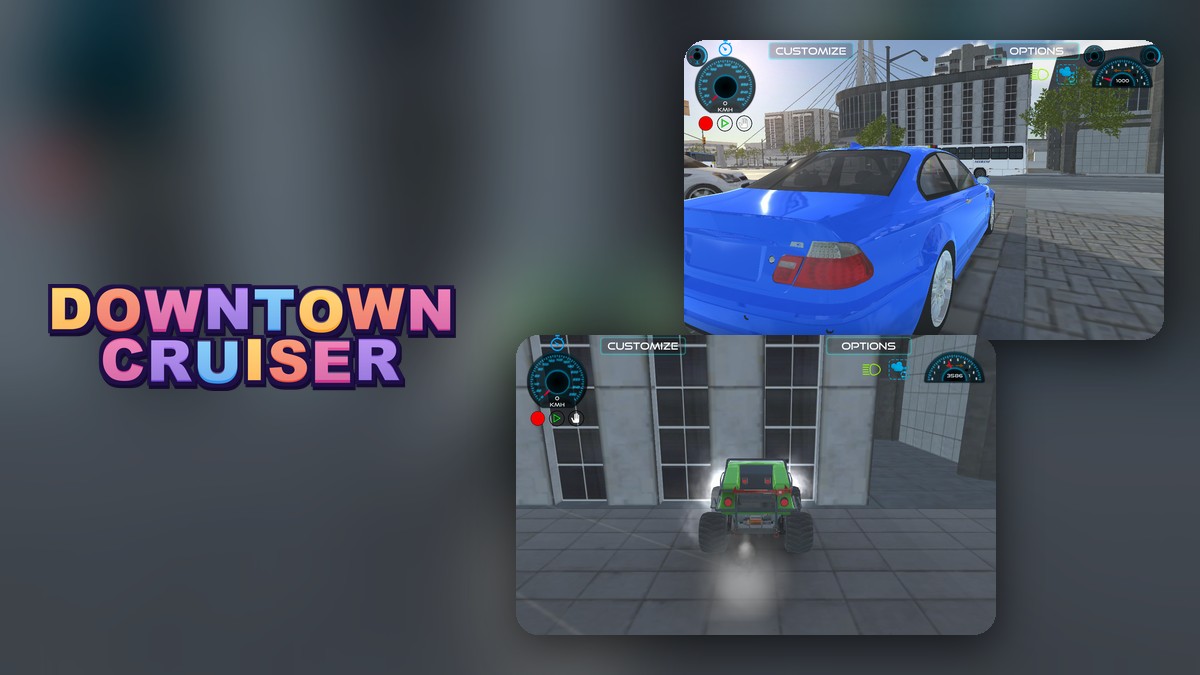
Key takeaways
- The C key cycled through 6 camera views in our test, and the second one is the cockpit.
- The Options menu holds a list of 13 vehicles, 5 handling styles and 4 driving assists you can switch.
- The Customize menu changes wheels, steering, config and colors, and has Save and Load.
- The game is about 84 MB, mostly 3D data, and it needs a keyboard.
The main car driving game controls in Downtown Cruiser are the arrow keys to drive and the C key to change the camera: in our test, C cycled through 6 camera views, and the menus at the top of the screen add 13 vehicles, 5 handling styles and 4 driving assists. We opened every menu and wrote down what we found.
Driving and the camera
Hold the Up arrow (W also worked) to accelerate and use the left and right arrow keys to steer. The camera starts behind the car. Each press of C moved to the next view. We pressed it eight times and watched the screen: a view behind the car, a cockpit view with the dashboard and mirror, a close view from the rear corner, a low view from the front, a close view of a wheel and a high view looking down from above. The sixth press brought back the first view, so the cycle has 6 views.
The Options menu
Click Options at the top right and a panel opens over the game. Reading it from top to bottom:
| Part | What it offers | Entries |
|---|---|---|
| Spawn Vehicle | A list of vehicles and a Spawn button | 13 |
| Select Behavior Type | Simulator, Racing, Drift, Semi Arcade, Fun | 5 |
| Driving Assistants | ABS, ESP, TCS and SH buttons | 4 |
| Other buttons | HUD Colors, Restart and Close | 3 |
We counted the entries in the game’s own lists. We spawned the buggy to check that the Spawn button works, but we did not spawn all 13 vehicles, and we did not measure what each assist changes.
Simulator is the handling style selected when the game starts. If you get stuck against a wall or a parked car, the Restart button in this panel is the quick way out: in our test it put the car back at its starting spot.
The Customize menu
Click Customize at the top left. Four buttons appear at the bottom left, Wheels, Steering, Config and Colors, and Save, Load, Drive and Reset sit at the bottom right. Colors opens a panel with Headlight Colors, Wheel Smoke Colors and two boxes named Preview Smokes and Preview Flames.
What is in the download
The game is about 84 MB, which is large for a browser game. Most of it is 3D data for the city and the vehicles.
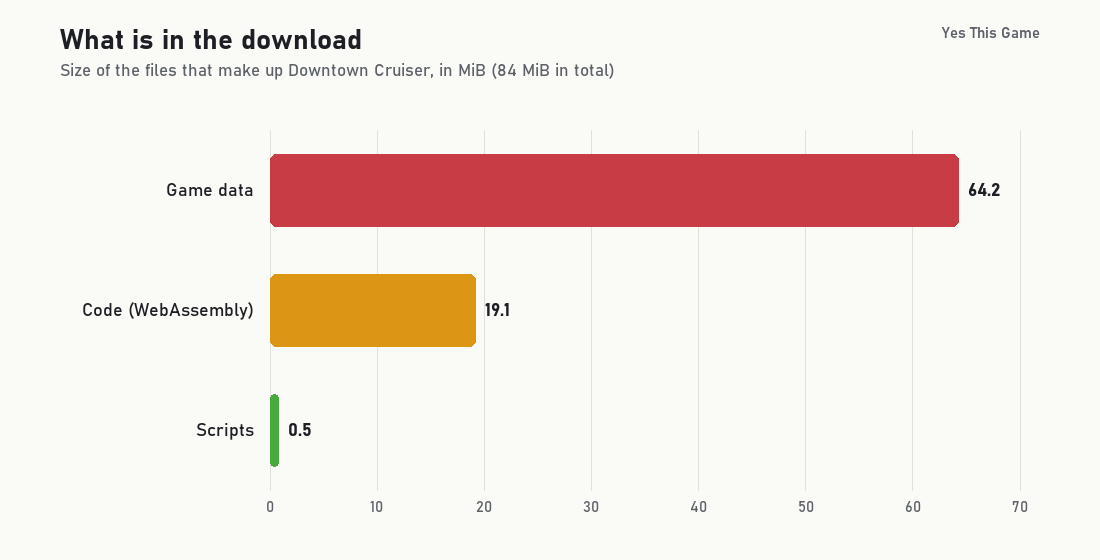
If it loads slowly the first time, that is the size at work; the next visit can reuse files the browser has kept.
4 tips from the menus
- Learn the camera key first. C is the quickest way to see the car, the road or the cockpit, and it takes at most 5 more presses to get back to a view you liked.
- Try the handling styles one by one. There are 5, and Simulator is the default.
- Use Restart when you are stuck. It is in the Options panel.
- Have a keyboard ready. The game has no touch driving controls, so it is for a computer.
Where to try it
Try it yourself in Downtown Cruiser. For drifting around a garage, Apex Drift Garage is another driving game, and Heavy Excavator Simulator lets you operate a digger.
Frequently asked questions
How do you change the camera in Downtown Cruiser?
Press the C key. In our test it cycled through six views, including a cockpit view, and then returned to the start.
How many handling styles does the game have?
Five: Simulator, Racing, Drift, Semi Arcade and Fun. Simulator is selected when the game starts.
What do ABS, ESP, TCS and SH do?
They are the four driving-assist buttons in the Options menu. We found the buttons and that they can be switched; this guide does not claim to measure their effect.
How do you spawn a different vehicle?
Open Options, pick a vehicle in the Spawn Vehicle list (13 entries) and press Spawn. We spawned the buggy this way.
How big is the game download?
About 84 MB in total: 64 MB of game data, 19 MB of code and under 1 MB of scripts.
Can I use it on a phone?
No. It has no touch driving controls, so it needs a computer with a keyboard.