Flying guide
Flight Simulator Game Tips From 5 Timed Test Flights
Key takeaways
- Colour arrived 12.1 to 13.2 seconds after Play in all 5 flights.
- With no keys pressed, 3 of 3 flights hit a purple column and were back at the title screen at 30.4 to 31.2 seconds.
- With the Up arrow held, 2 of 2 valid flights were still in the air at 48 seconds.
- Controls screen: Classic, Mouse and Casual, X for inverse pitch and Esc to pause.
The first flight simulator game tip is to hold the Up arrow: in 3 hands-off flights of Coralwing the plane hit a purple column and the game was back at the title screen at about 31 seconds, while 2 flights with Up held were still in the air at 48 seconds. We pressed Play in a test browser five times, recorded the screen about three times a second and wrote down when the colour arrived and when each flight ended.
How the game works
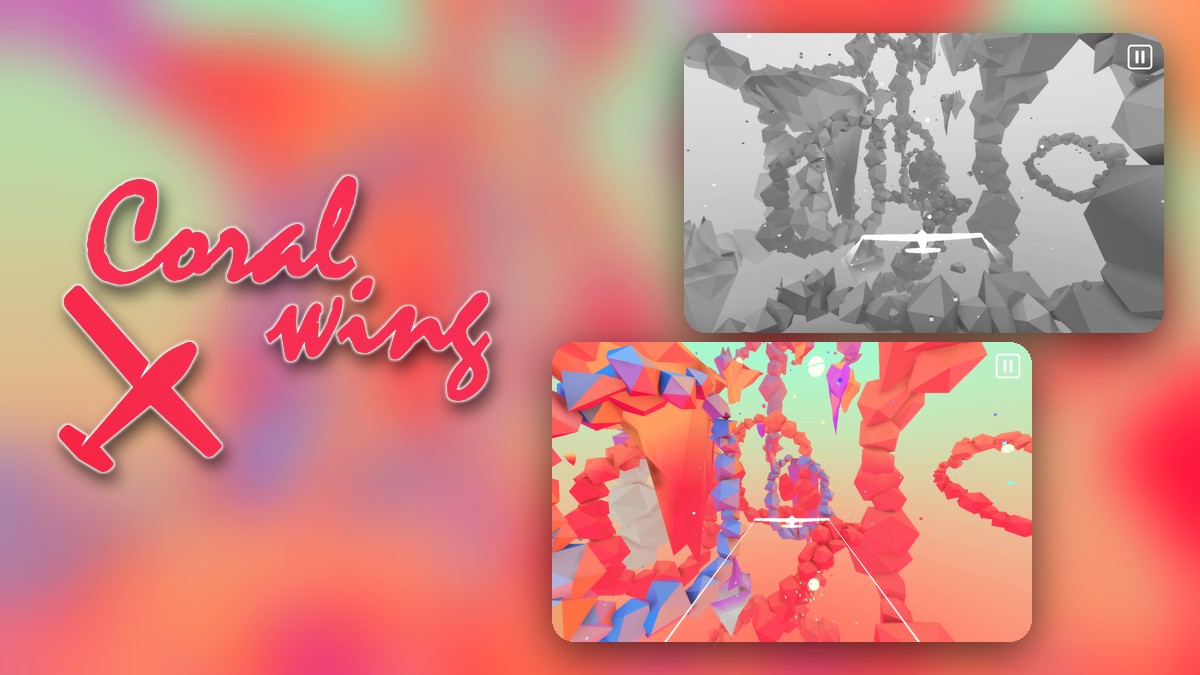
Coralwing is a low-poly flight game. A small white plane flies through a canyon of rock rings and crystals. The world starts out grey. The Controls screen offers three schemes: Classic (the arrow keys with Q and E), Mouse and Casual (the arrow keys). X flips the pitch axis, listed as “Inverse Pitch (Y Axis)”, and Esc pauses.
Five flights, second by second
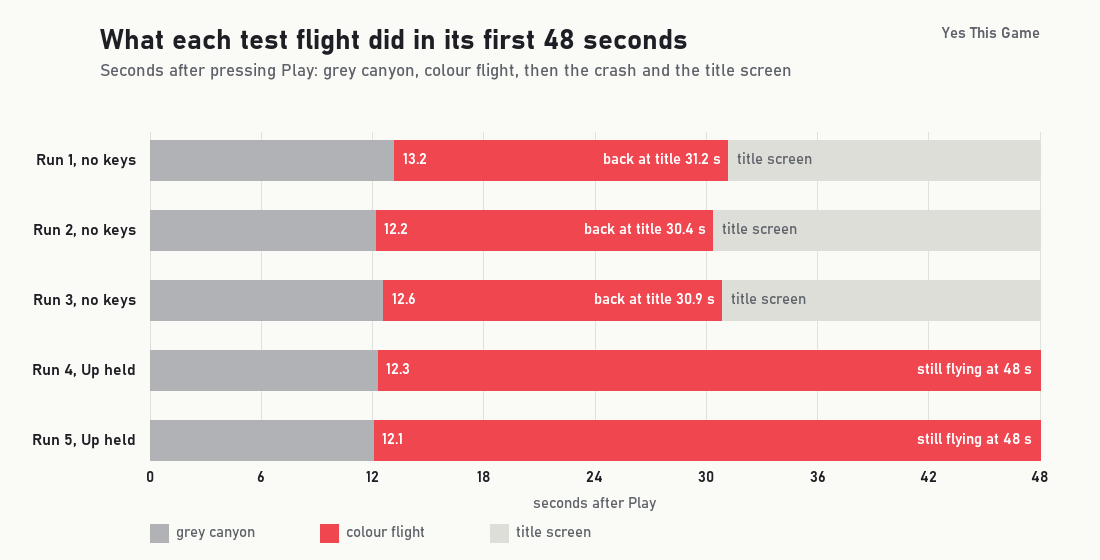
Three flights were hands-off: we pressed Play and touched nothing. Two flights had the Up arrow held down from the start. In all five, the grey canyon turned to colour between 12.1 and 13.2 seconds after Play. In the three hands-off flights the plane flew toward a tall purple column, the screen filled with noise and the grey title screen came back.
| Flight | Keys | Colour arrives | Back at title screen | Colour flight |
|---|---|---|---|---|
| 1 | none | 13.2 | 31.2 | 18.0 |
| 2 | none | 12.2 | 30.4 | 18.2 |
| 3 | none | 12.6 | 30.9 | 18.3 |
| 4 | Up held | 12.3 | still flying at 47.9 | 35.6 or more |
| 5 | Up held | 12.1 | still flying at 47.9 | 35.8 or more |
Five flights from one test browser are a small sample, and times are accurate to about half a second. A sixth Up-held recording was thrown out because it started while the game was still on the title screen.
The colour does not depend on you
The colour arrived at almost the same moment whatever we did: 13.2, 12.2 and 12.6 seconds with no keys, 12.3 and 12.1 seconds with Up held. So the first 12 seconds are free practice time, and you do not have to do anything to bring the colour in.
The column ends a hands-off flight
With no keys pressed, the colour flight lasted 18.0, 18.2 and 18.3 seconds, about 18 seconds each time. The last thing on screen was the same tall purple column, and the title screen followed, 30.4 to 31.2 seconds after Play. With Up held, the plane climbed and banked in open sky instead, and both flights were still going when we stopped at 48 seconds.
4 tips that follow from the numbers
- Hold the Up arrow. It kept the plane flying in 2 of 2 valid flights. Doing nothing ended all 3 hands-off flights at about 31 seconds.
- Practise in the grey part. The first 12 seconds are the same every time, so learn how Classic, Mouse or Casual feels before the colour arrives.
- Try X if the plane feels upside down. The Controls screen lists it as “Inverse Pitch (Y Axis)”.
- Pause with Esc. The pause menu has a continue button, a sound switch and a Controls button, so you can look at the keys without leaving the game.
Where to try it
Try it yourself in Coralwing. If you like cockpit games, Rustwalker puts you in a mech and Downtown Cruiser puts you behind a wheel.
Frequently asked questions
How long does a hands-off flight last in Coralwing?
In 3 test flights with no keys pressed, the title screen came back 30.4, 30.9 and 31.2 seconds after Play, after the plane met a tall purple column.
Why does Coralwing start in grey?
The canyon starts grey and the colour floods in after a fixed wait: 12.1 to 13.2 seconds after Play in all 5 of our flights, with or without keys.
Which key keeps the plane in the air?
In 2 valid test flights with the Up arrow held down, the plane was still flying at 48 seconds, when we stopped the test.
Which control schemes does Coralwing have?
Classic (arrow keys with Q and E), Mouse and Casual (arrow keys). X flips the pitch axis and Esc pauses.
What does the crash look like?
The screen fills with coloured noise and the game returns to the grey title screen with the Play and Controls buttons.
Does Coralwing work on a phone?
It runs in landscape on a phone-sized screen, but the Controls screen lists keyboard and mouse schemes, so a keyboard gives the most control.