Basketball game guide
Basketball Game Controls: Keys for 1 and 2 Players
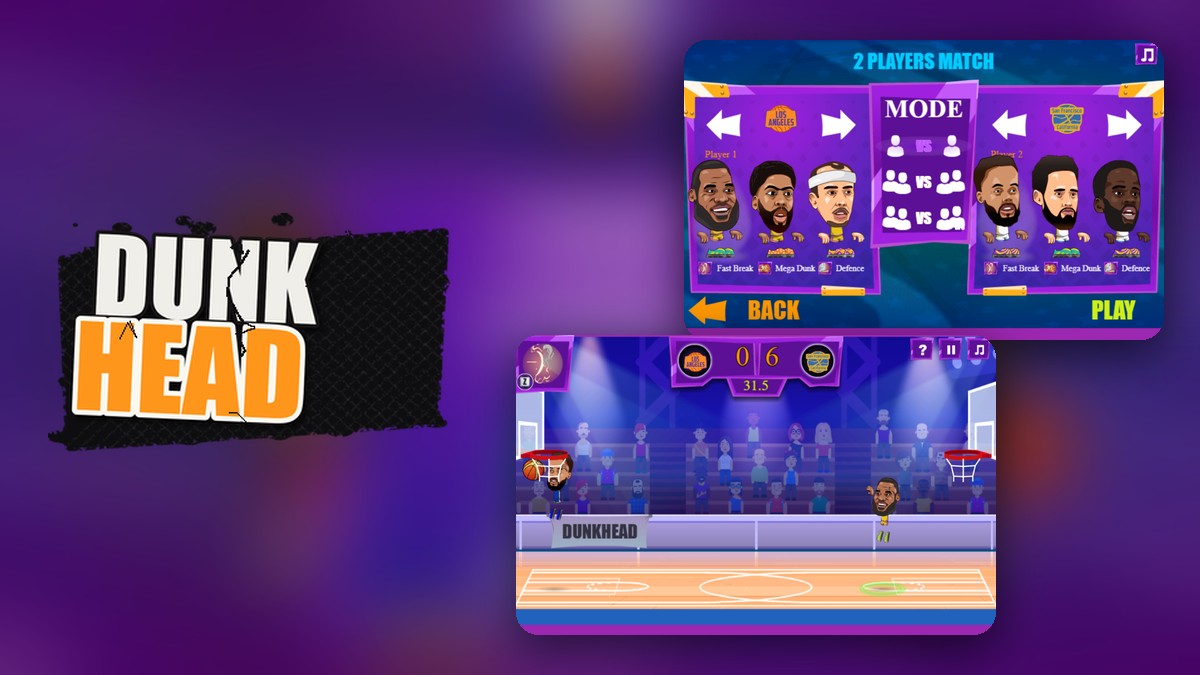
Key takeaways
- Player 1 moves with the arrow keys, shoots or steals with X and uses Z for the supershot; player 2 uses W, A, S, D, L and K.
- Press the right arrow twice to dash; the down arrow pumps in attack and blocks in defense.
- In a no-input test match the computer won 10 to 0, and in a second match with a simple scripted attack it led 12 to 0 with 7 seconds left.
- Every basket we saw was worth 2 points, and the timer counted down from about 60 seconds.
Player 1 in Dunkhead moves with the arrow keys, shoots or steals with X and uses Z for the supershot, while player 2 uses W, A, S and D with L and K. That is what the game’s own how-to-play screen shows, and we read it in a test browser before playing two matches against the computer to see how fast it scores.
The keys
| Action | Player 1 | Player 2 |
|---|---|---|
| Move | Arrow keys | W, A, S, D |
| Supershot | Z | K |
| Action | X | L |
The same screen lists five moves with their keys: Shot (X) and Pump (down arrow) in attack, Dash (right arrow twice), and Steal (X) and Block (down arrow) in defense. The action key does two jobs: shoot when you have the ball, steal when you do not. We confirmed the arrow keys moved the player, but we did not test the supershot, dash, pump or block in play, so treat those as the game’s own description.
Two matches against the computer
We chose Random Match with the first two teams on offer and read the scoreboard every few seconds. In the first match we pressed nothing. In the second a script ran forward, jumped, pressed X and pressed Z in a loop, which is a crude attack.
| Match | About 50 s left | About 25 s left | Last reading |
|---|---|---|---|
| No input | 2 | 6 | 10 (final, 0 : 10) |
| Scripted attack | 2 | 8 | 12 (at 7.4 s left) |
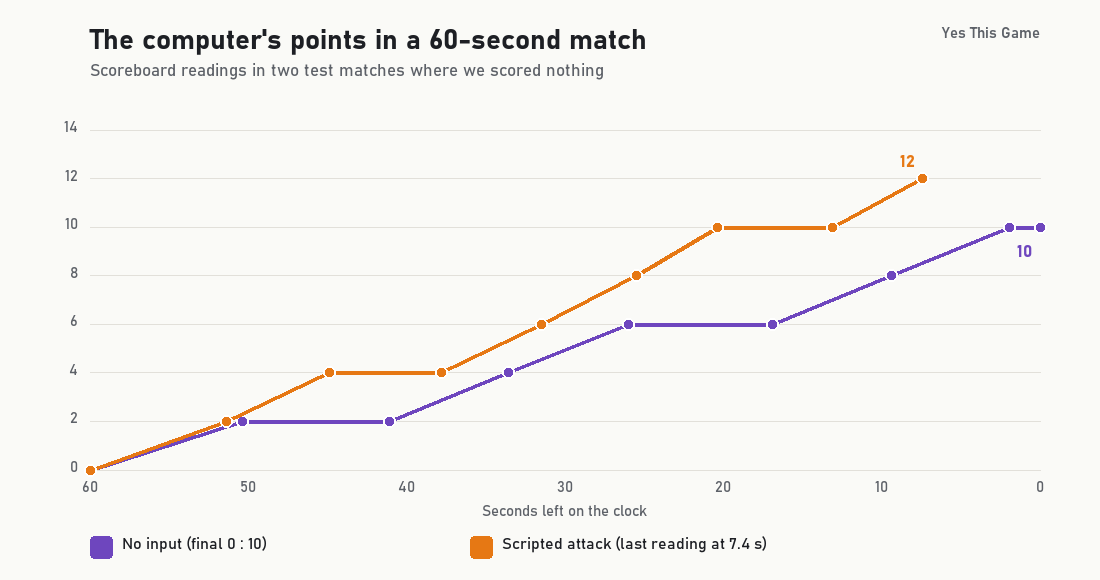
Every basket raised the score by 2. With no input the computer scored 5 baskets, roughly one every 12 seconds. We scored nothing in either match, so our crude script did not stop it.
Two matches against one pairing of teams is a small sample, and a script is not a player. We did not test how the computer reacts to real defense.
4 tips from the screens
- Do not stand still. The computer scored with no resistance at all.
- Learn the dash. It is the right arrow pressed twice, so practise it in Training.
- Use the question mark. It opens the how-to-play screen during a match.
- Share the keyboard. In 2 Players, player 1 stays on the arrows and player 2 on W, A, S and D, so both have room.
Where to try it
Try it yourself in Dunkhead. For another quick game with a score to chase, see Plungetower, or ride the ramps in Rampcrest.
Frequently asked questions
What are the controls for player 1 in Dunkhead?
The arrow keys to move, X for the action (shoot with the ball, steal without it), Z for the supershot, the down arrow to pump or block and the right arrow twice to dash.
What are the controls for player 2?
W, A, S and D to move, L for the action and K for the supershot, as the in-game how-to-play screen shows.
How do you dash?
The how-to-play screen shows the right arrow pressed twice under Dash.
How many points is a basket worth?
Every basket in our two test matches raised the score by 2 points.
How long does a match last?
It is timed: the countdown read about 56 seconds a few seconds after the start in our tests.
Can the computer win if I do nothing?
In our test with no input the computer won 10 to 0, scoring a basket about every 12 seconds.